Ruling Price Check
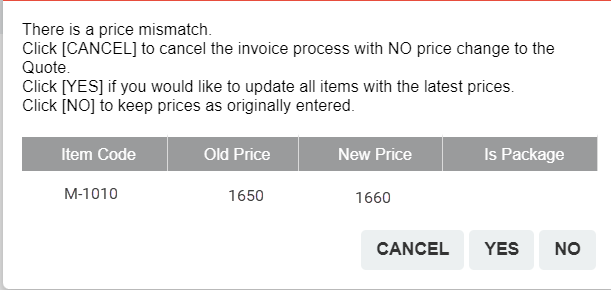
The quote price validate mode puts a control in place over quoted prices that may have changed prior to invoicing.
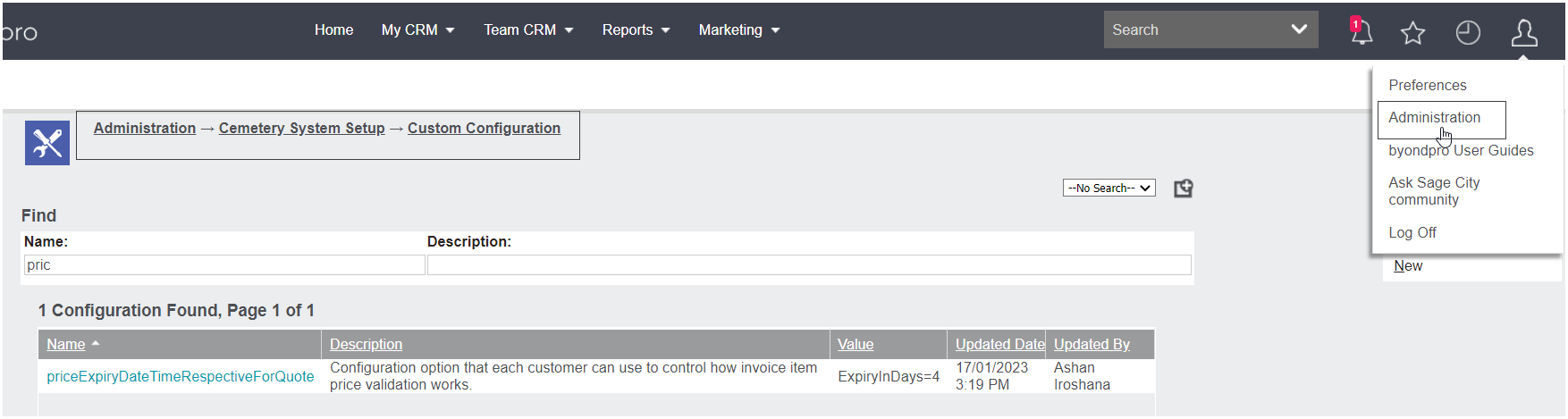
Settings can be updated at Profile Menu -> Administration -> Cemetery System Setup -> Custom Configuration.
Complete a search for priceExpiryDateTimeRespectiveForQuote.
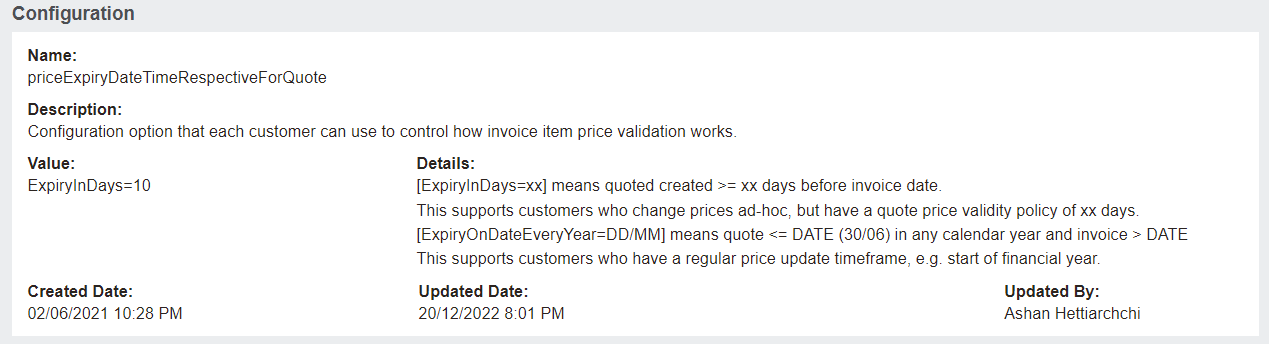
There are two options to support differing needs
-
To flag the number of days a quote is valid forThis is useful in situations where an organisation has a policy in place that prices are only valid for a nominated number of days.
-
To flag an expiry date
This option is generally relevant where price updates occur at the end of a financial year / calendar year and quotes have been created prior to the end of the year with the invoice creation in the new year.
In both situations the user will be alerted to a change / expiry of price and can choose to proceed with the quoted price/s or update to the new price.
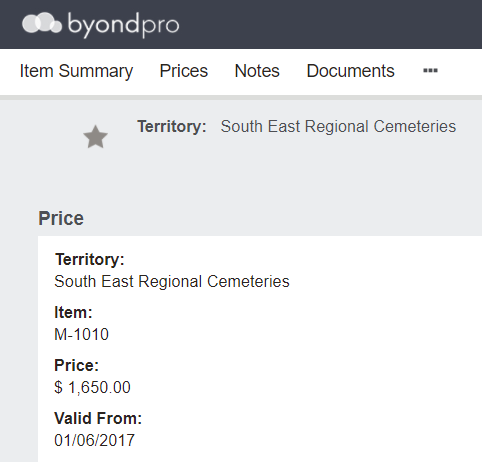
For example, item M-1010 price is $1,650, prior to year-end an update to the price is made to $1,660.
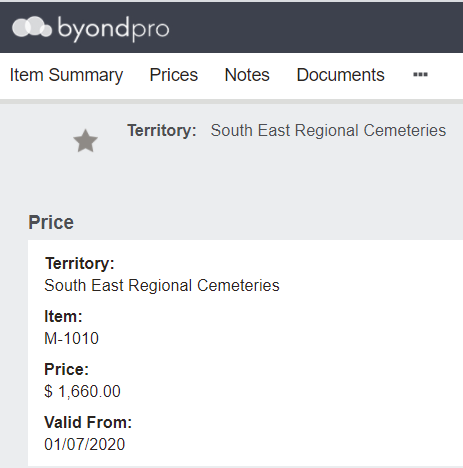
For a quote raised 3 months earlier, the invoice will return a mismatch error.
The user will need to update to the latest price/s by choosing YES, or can retain the quoted prices by choosing NO.