Redeeming Pre-Need Items
It is recommended to always check the Pre-Need tab of the Sales & Booking for any items to redeem.
Before creating the booking, users may have already completed this check on Pre-Need Items tab of the Person or Location records.
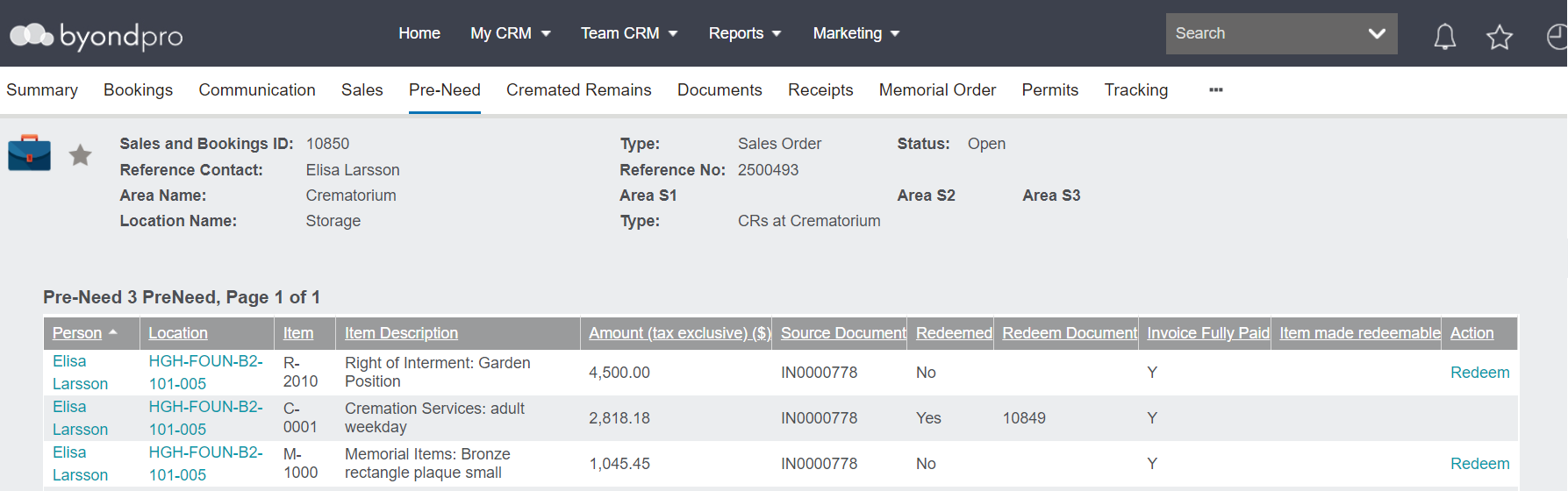
If the items are not appearing on the Pre-Need tab of the Sales & Booking, you may need to transfer the items to the person record.
In our example, we will be redeeming both the right of interment for a Garden Position and the small plaque which were purchased pre-need.
To redeem, click on the Redeem hyperlink.
If the Redeem hyperlink does not appear, it may be that the invoice the item /s are on has not been paid in full yet. Should you have the required permissions, you can Make the Items Redeemable as per your business processes.
Once the item /s have been made redeemable, you will see the Redeem hyperlink.

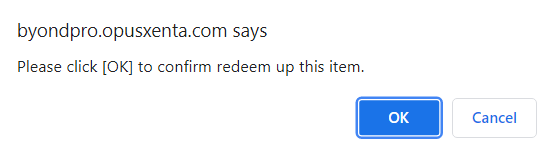
To confirm, press the OK button on the message which appears.
Press OK on the next message confirming redemption.
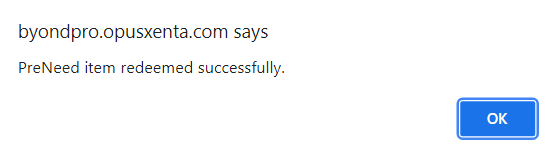
Complete the process for each item currently being redeemed.
For more information on redeeming pre-need items, visit the Redeeming Items section.