Redeeming Pre-Need Items
Business processes may be to check the Pre-Need tab and redeem any pre-need items relevant to the service /s being provided.
If no pre-need items are being redeemed, the cemetery user would then proceed with creating the sales order of the item /s and service /s being provided.
Items sold as pre-need where the invoice is paid in full, will display as redeemable on the Pre-Need tab of the booking.
Throughout the process of creating a booking, users would need to check this tab to see if there were any items to take up in this booking.
By adding the location code and the person record into the summary screen of the Sales & Booking, the pre-need items linked to these records will display.
If no location was added to the summary of the sales and booking and the items were not linked to the person record entered in the summary tab, the items would not appear.
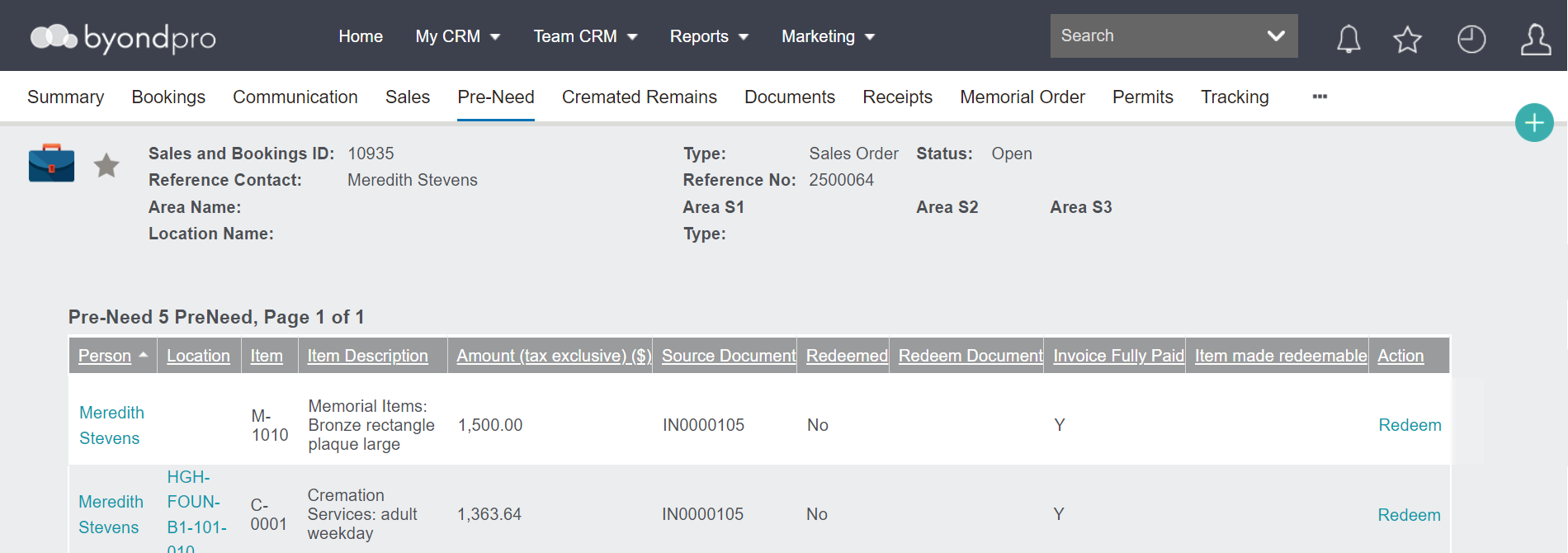
Items that are ready to redeem will have, under the action header, the word Redeem.

Items that are not ready to be redeemed because the invoice has not been paid in full yet, will be blank under the action header.
Remember, pre-need items can only be redeemed from within a Sales & Booking record.
After completing any checks or balances required, you are able to redeem any pre-need items required.
From the Pre-Need tab within the Sales & Booking, click on the word redeem in line with the item /s to be redeemed.
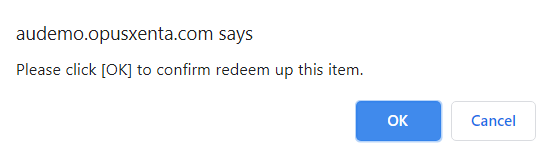
A message will display asking to confirm redeeming of this item. If this is the desired action, press OK.
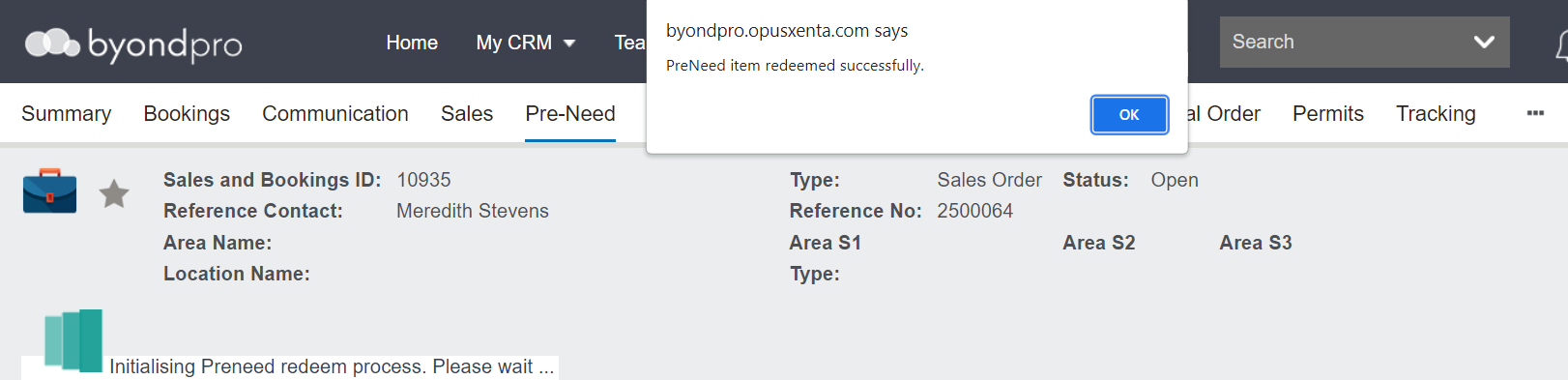
Once redeemed, a message will state the 'Pre-Need item was redeemed successfully'.
As the sync process to Sage 300 takes a short time, there will be a message stating 'Initialising PreNeed Redemption Process' as well.
Press OK on the message.
The item will display as redeemed, with a reference to the redeem document number, which will be the Sales & Booking I.D.
There will no longer be an option to redeem the item.
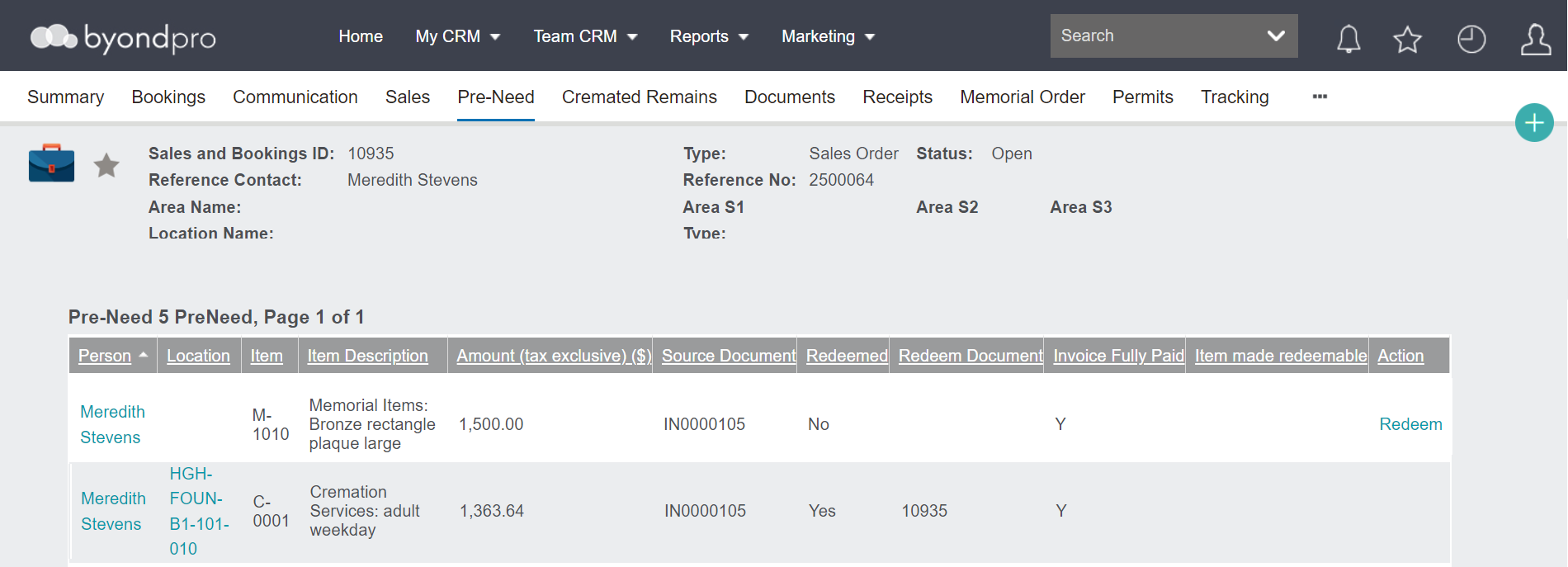
This process would need to be completed for each item being redeemed in the Sales & Booking.