Payment Notice Monitoring Screen
This screen shows all payment notices issued, including their current status and links to the source Sales and Booking transactions.
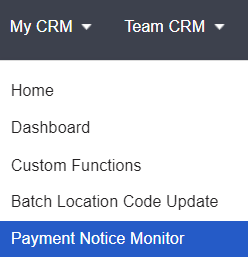
Access via My CRM > Payment Notice Monitor.
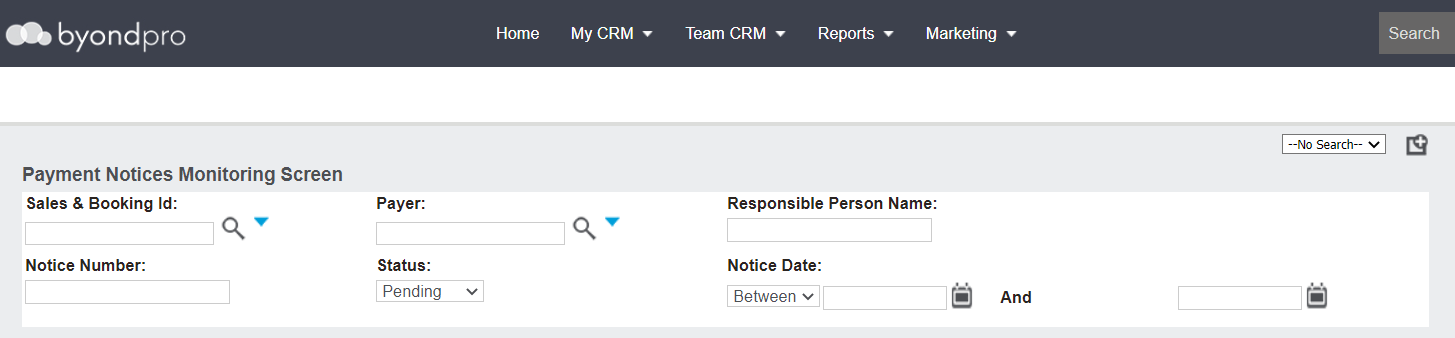
Use the following search fields to complete a search for the payment notices:
-
Sales & Booking ID
-
Payer
-
Responsible Person Name
-
Notice Number
-
Status
-
Notice Date
Press Find on the right-hand side of the page to be presented with a list of payment notices which meet you search criteria.
Each payment notice which meets your search criteria displays with the following information:
-
Notice Number hyperlink.
-
Notice date.
-
Sale & Booking ID hyperlink.
-
Payer
-
Responsible Person Name
-
Status
-
Invoice Number
-
Amount
