Payment Inquiry
The Payment Inquiry screen is a search screen for payments that have been processed through the Recurring Payments function.
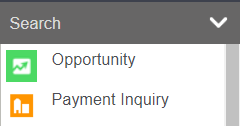
Access the Payment Processor by clicking on the arrow next Seach on the toolbar and select Payment Inquiry.
Complete a search for receipts using the following:
-
Repayment Date
-
Receipt Date
-
Bill to Applicant / Company
-
Batch Number
-
Sales & Booking ID
-
Invoice Number
-
Payment Status

Once entering your search criteria, select the Find button on the right-hand side of the page.
At any time should you want to cancel, select the Cancel button.
Receipts which meet your search criteria will display with the following information:
-
Repayment Date
-
Payment Status
-
Sales & Booking ID hyperlink
-
Bill to Applicant / Company hyperlink
-
Receipt Date
-
Invoice Date
-
Invoice Number
-
Repayment Number
-
Payment Terms
-
Payment Amount
-
Batch Number
-
Error, if applicable
