Merging Cremated Remains Records
Should there be an instance where cremated remains records have been divided accidentally or a decision which resulted in divided cremated remains records has been reversed, the merge button on a record can resolve this issue.
Locate the cremated remains record that you will be merging the other cremated remains record into.
From the Summary tab of the Cremated Remains record press the Merge CR button on the right-hand side of the page.

From the page which displays, use the search select field to locate the cremated remains record you will be merging into this cremated remains record.
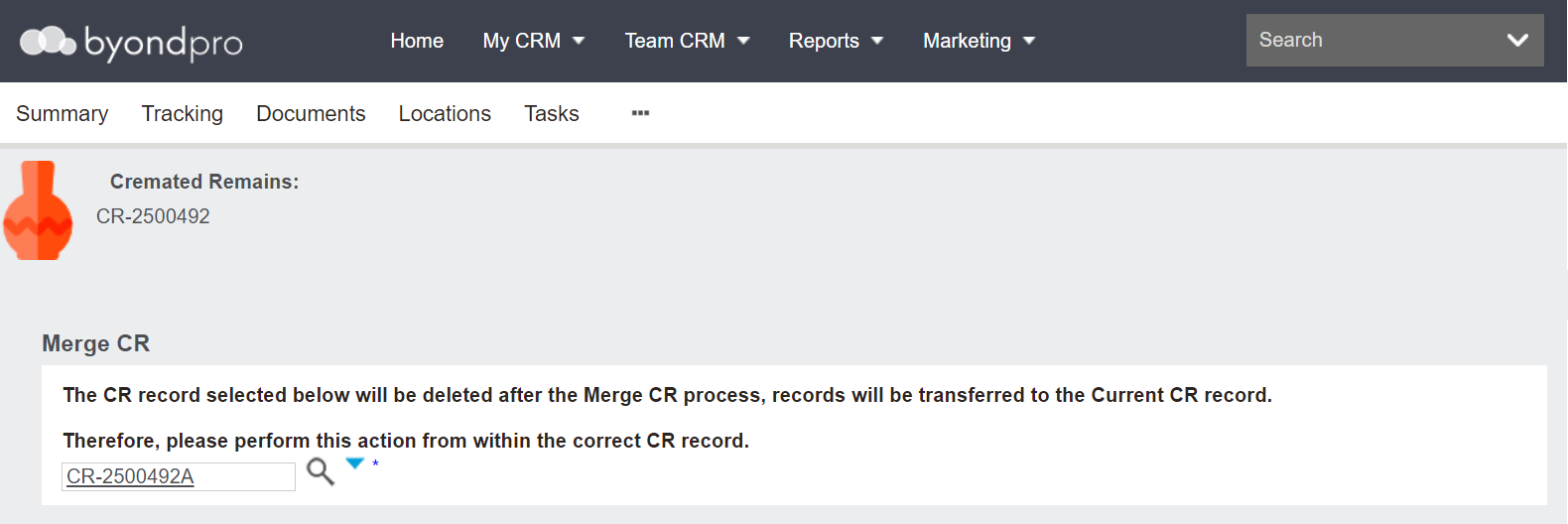
Once completed, press Save on the right-hand side of the page.

You will be returned to the cremated remains record you started from.
The Tracking tab of the record that was kept will now reflect that these cremated remains records have been merged.
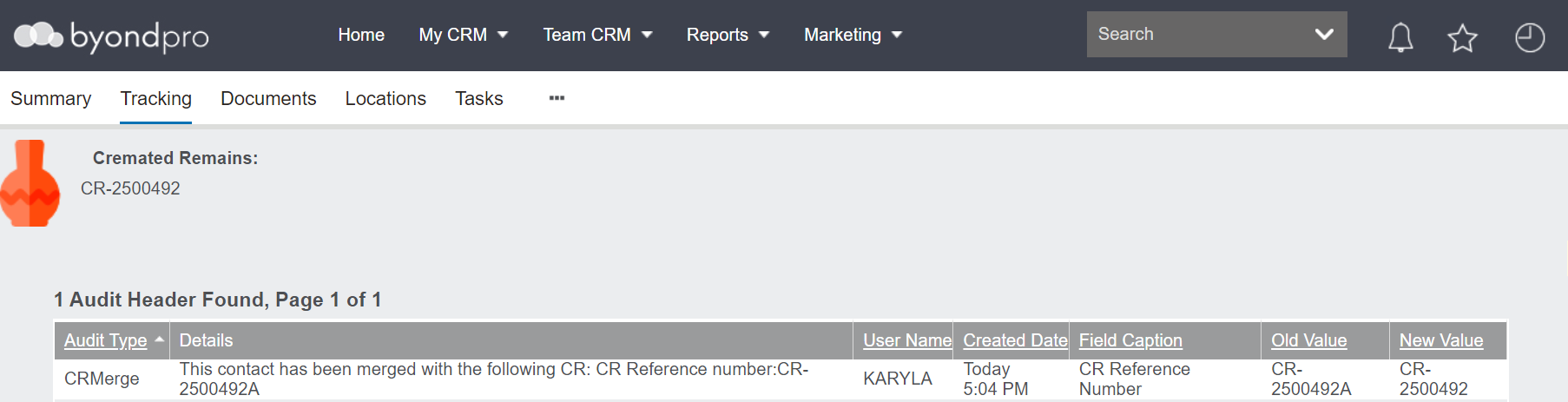
However, all remaining traces of the previous cremated remains record will have been removed from byondpro.