Mason Permit Report
The Mason Permit Report displays a list of permits with detailed information.
Click on the Mason Permit Report hyperlink, or the blue arrow in line with the hyperlink.

On the resulting Parameters page, you may filter the displayed permits through a series of ranges, including:
-
Mason Permit from/to: The permits including and between the given permit ID numbers.
-
Issued from/to: When the permits were issued.
-
Received from/to: When the permits were submitted.
-
Expiry from/to: When the permits expire.
-
Work completed from/to: When the works were competed.
There is also an option to run this report by permit status, for example for all statuses, or by one specific status such as, submitted.
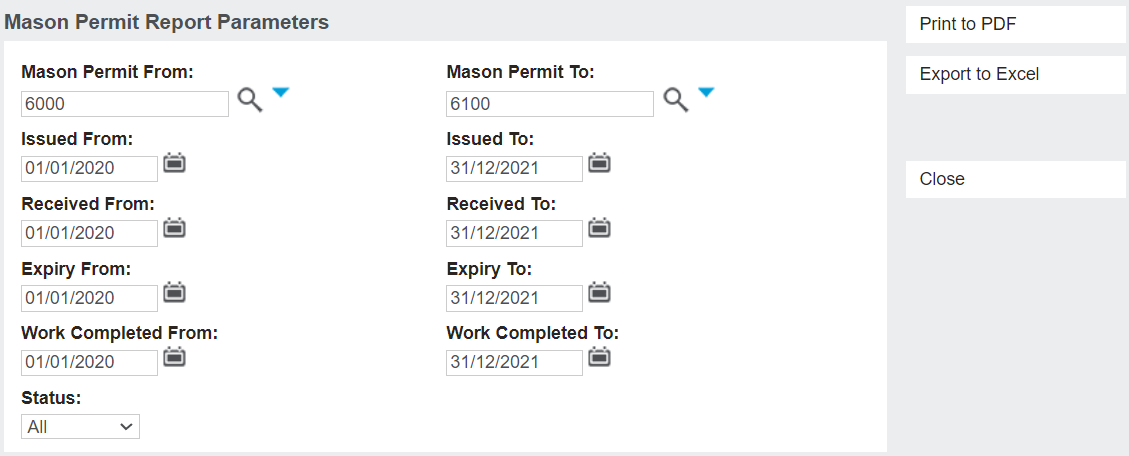
Click on the Print to PDF button to open the report in a PDF view.
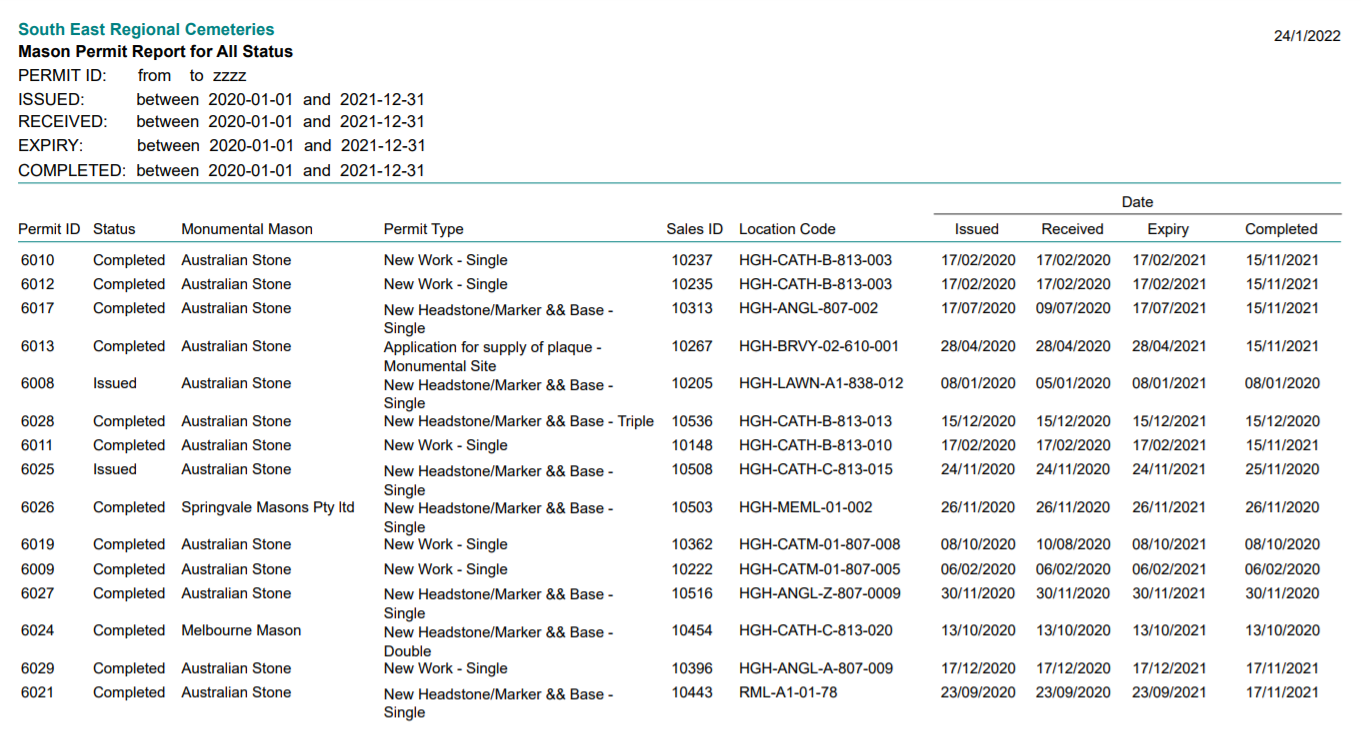
The resulting report shows a list of permits, with such information as:
-
Permit ID.
-
Status of the permit.
-
Monumental Mason completing the works.
-
Permit Type.
-
Sales ID.
-
Location of the works.
-
Date Issued.
-
Date Received.
-
Date of Expiry.
-
Date Works Completed.