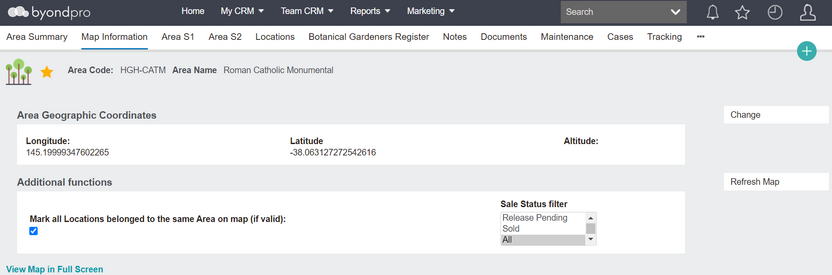
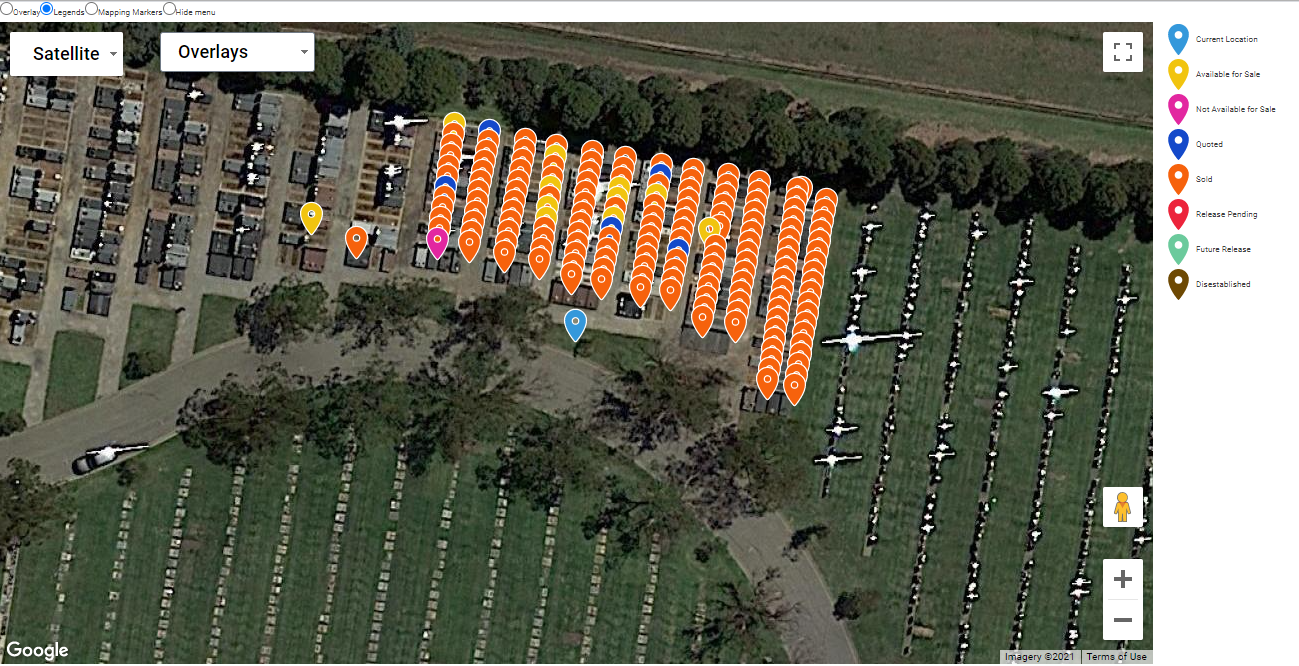
The map information tab uses GPS co-ordinates to show the physical Location on an embedded Google map. A printout can be produced to assist families in finding the grave, crypt or cremation memorial within the grounds. The location co-ordinates and Google map images can be passed to integrated website or kiosk deceased search functions.
Entering GPS Co-ordinates
The change function allows you to interact with the location pin marker on the screen and drag it to the correct placement; the GPS longitude and latitude co-ordinates change correspondingly. The initial co-ordinates are determined by the map entries in the location hierarchy, starting with the Site and then Area records, so if previously empty, the pin marker for the location is positioned in the correct general area of the grounds.
If using a GPS-enabled mobile device, you can be in the grounds and select change on the map information screen, then use the Get Current Location button to determine the longitude and latitude co-ordinates. The accuracy of the co-ordinates is dependent on the device used.
Button Functions
Button
Description
Change
Switches to edit mode
Refresh Map
Re-loads map and selected data
Print User Friendly Map
A4 print layout showing map and interment information
Standard Field List
Field
Description
Associated Business Process
Longitude
Numeric field to record GPS longitude value
Prefill from preceding Site & Area map data
Latitude
Numeric field to record GPS latitude value
Prefill from preceding Site & Area map data
(Altitude)
future development
Additional Functions
Mark 2 adjacent locations
Checkbox to show adjacent location pin markers
Sales Status Filter
Selection list to filter adjacent pins by location sales status, e.g. available for sale
Display Options
View Map in Full Screen
Opens Google map in separate screen
Satellite / Map
Switches Google map background from plain to satellite image.
Overlay
Presents list of graphic overlays loaded. Checkbox selection to display/hide overlays
Legend
Presents colour coded legend of pin markers according to sales status
Mapping Markers
Presents list of site orientation markers. Checkbox selection to display/hide markers