Making Items Redeemable
Items are only redeemable when the invoice has been paid in full.
However, there may be some instances when you need to take up an item before the invoice has been paid in full.
From the Pre-Need Items tab of the Person or the Location record, click on the hyperlink of the person's name in line with the item you want to make redeemable.
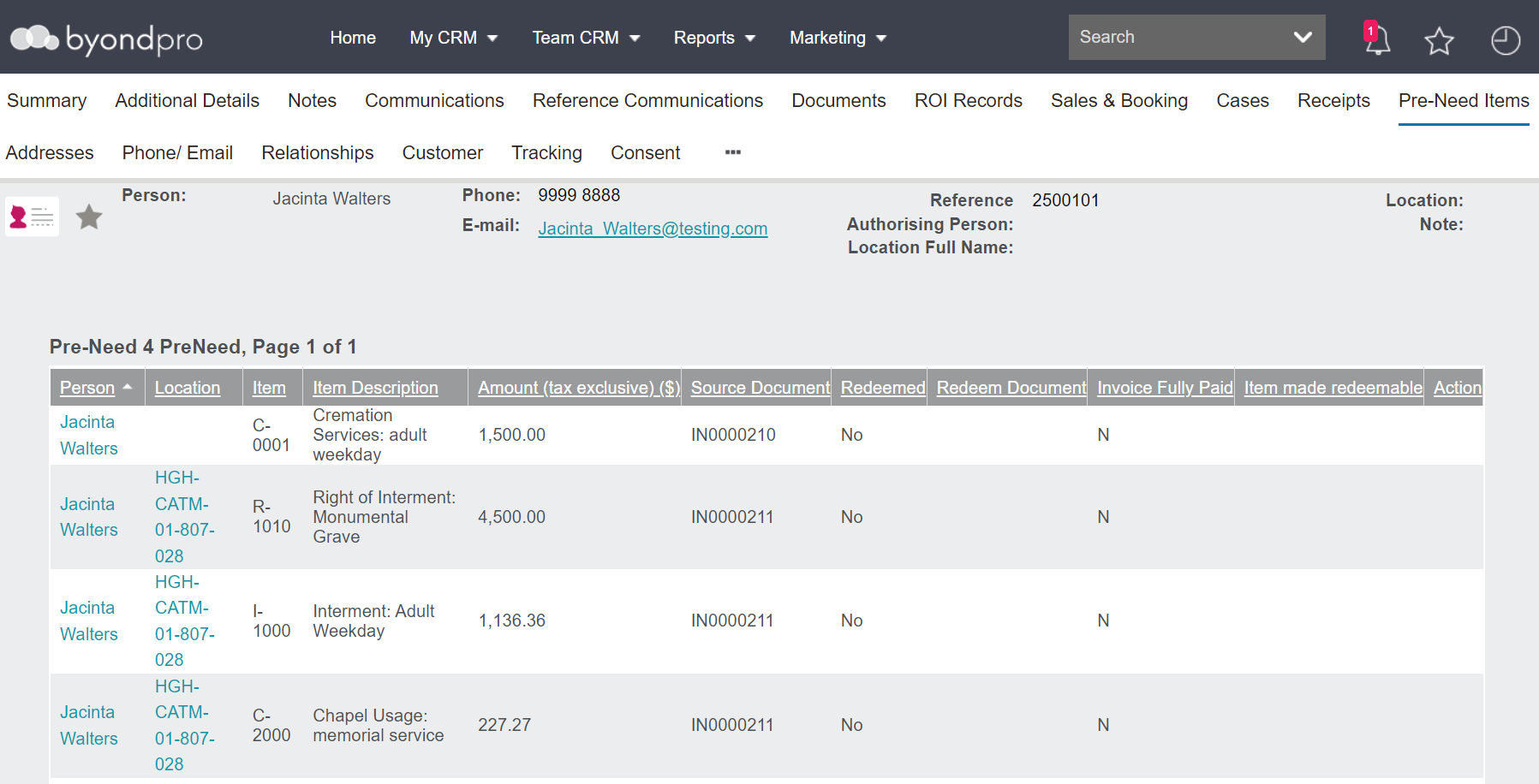
Also, users could navigate to the pre-need record from the pre-need register.
Once on the Pre-Need record, click on Make items Redeemable on the right-hand side of the page.
If you do not have this option available, this will need to be actioned by a supervisor with permissions to do so.

The following screen is required to be completed.
Add a tick in the box labelled Item Made Redeemable.
Type the reason why this item is being made redeemable in the Item Made Redeemable Reason field. It is recommended to have clear and specific reasons to enter here.
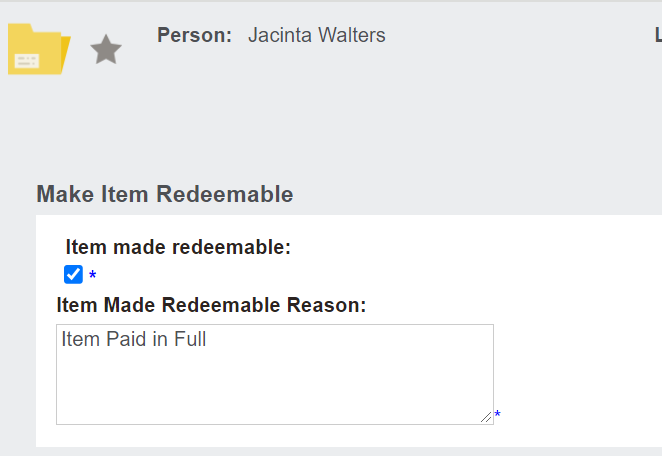
On the right-hand side of the page, choose the Save button.

You will be returned to the pre-need record, where the following displays:
-
Item made redeemable tick
-
Your user name
-
Reason for making the item redeemable
-
Time stamp

Click on the person record link to be taken back to the person record.
On the Pre-Need Items tab of the Person or Location record, the item will now display as redeemable.

This process would need to be completed for each item to be made redeemable.