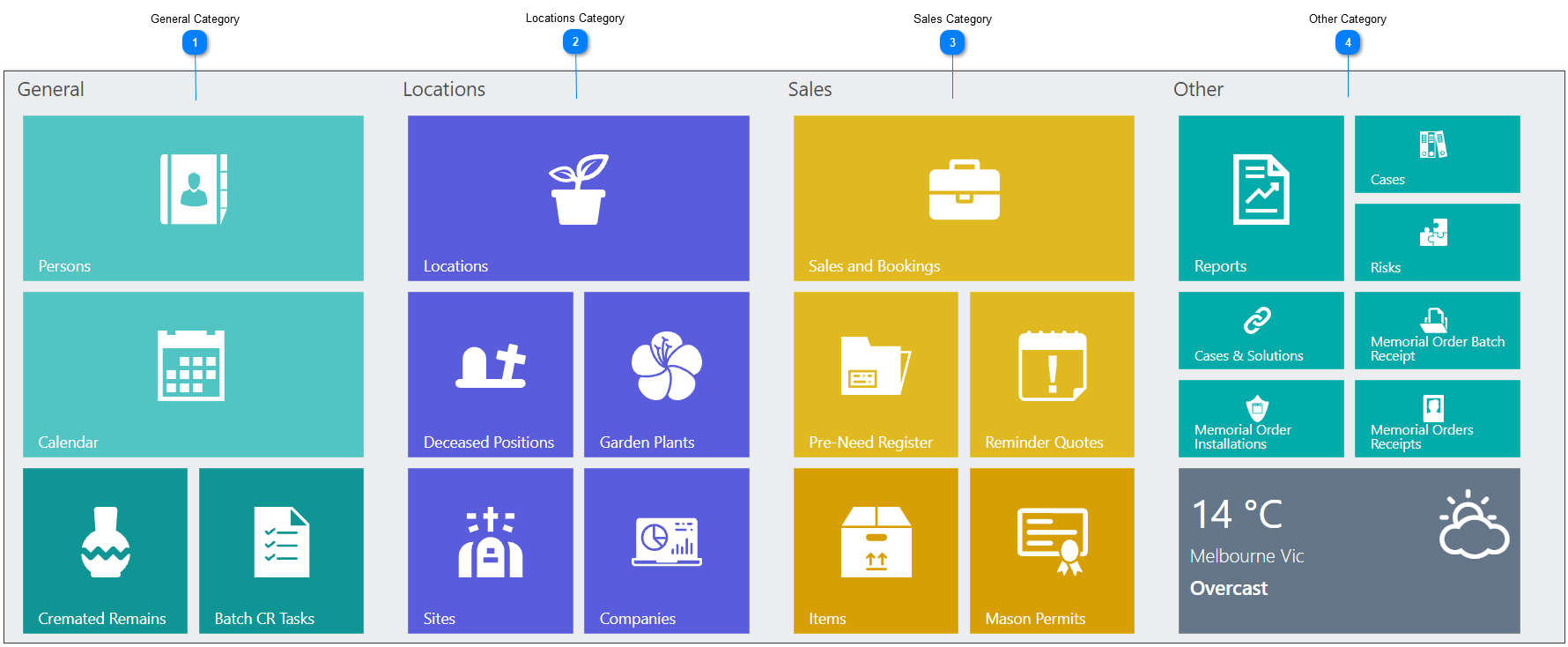
The byondpro Home Dashboard groups together tiles in related categories, which represent searchable groups of records in byondpro.
 General Category
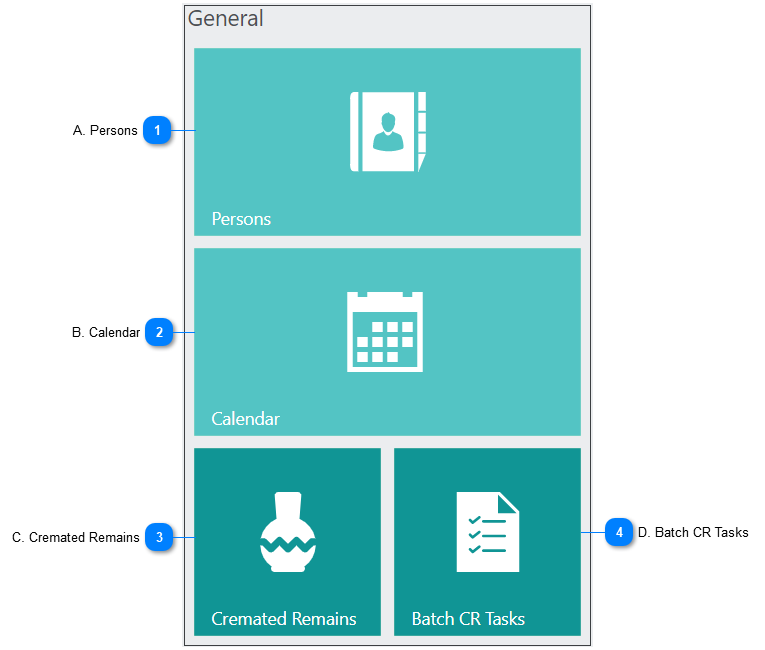
The General category contains a search function for Person records, the Calendar, Cremated Remains records and quick access to the Batch CR tasks function.
|
|
Allows the user to search for any person record in the system.
|
|
Displays all upcoming events in a calendar view.
|
|
Allows the user to search for any Cremated Records in the system.
|
|
Used to create & complete tasks on CR records in batches.
|
 Locations Category
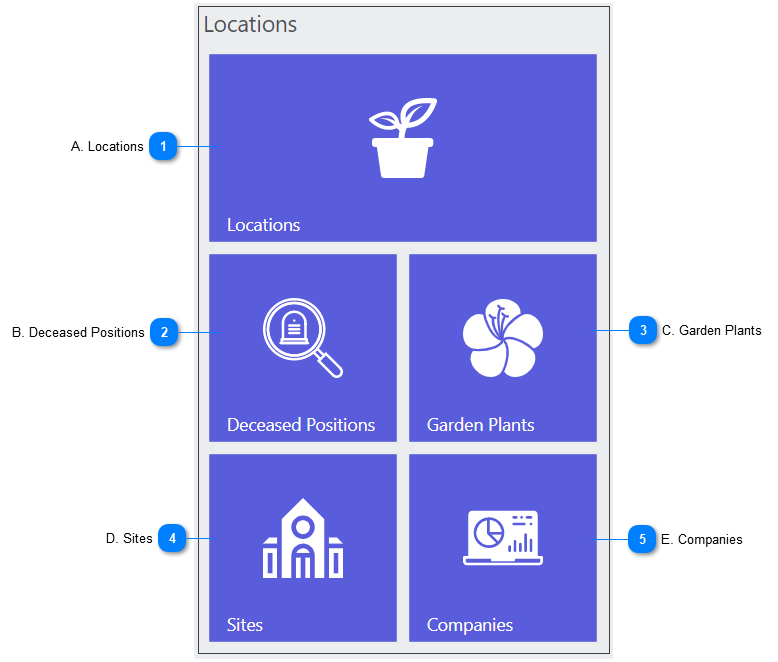
The Locations category contains tiles which lead to search screens for Location related records.
|
|
Allows the user to search for locations, such as individual graves.
|
|
Used to locate the locations of buried and cremated entities.
|
|
Houses a repository of garden plants related to locations.
|
|
Allows the user to complete a search of Sites connected to the cemetery trust.
|
|
Brings the user to a search for company records the cemetery conducts business with such as funeral homes or masons.
|
 Sales Category
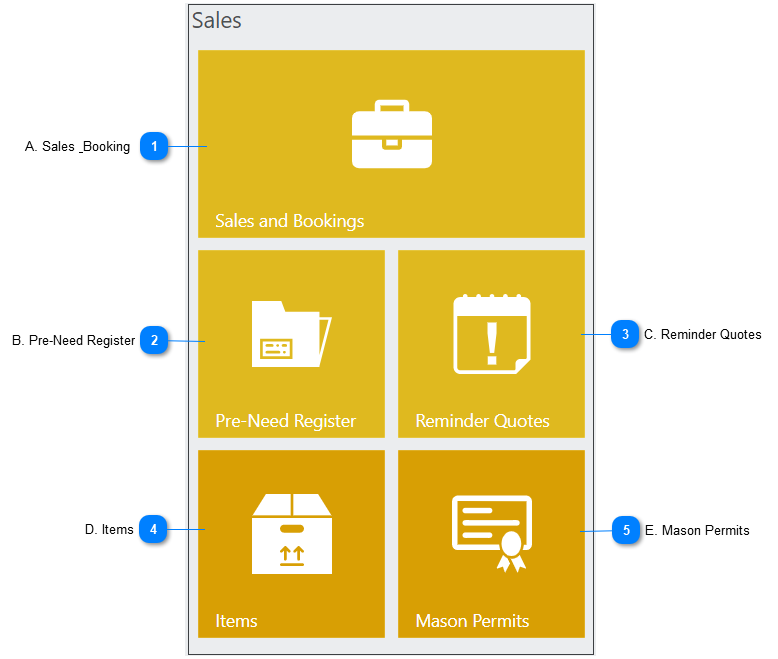
The Sales category houses the search tile Sales & Bookings, Pre-Need register, Reminder Quotes, items and Mason Permits.
|
|
Contains all Sales & Bookings, such as burials, cremations, cremated remains placements, mason permits & memorial orders.
Within the sales and booking, resource calendar appointments for burial or cremation teams, chapel services & function rooms can be captured along with all booking requirements for the services that are to be provided.
Also, within the Sales & Booking users can quote, invoice & process receipts for the rights to a location, fees for services to be provided, headstone & plaque costs, mason permit fees etc.
|
|
Customers may want to purchase items before the need arises. These purchases would be considered pre-need. Once the item is purchased as pre-need, it will appear in the pre-need register.
|
|
A way for users to follow up on quotes that have been left open and yet to be invoiced as a sale.
|
|
A searchable list of items which can be sold in byondpro.
|
|
Allows the user to search the list of permits that have been submitted by masons. The Masons who install the monument / headstone on graves may be required to to apply to do the work through a permit based system.
|
Other Category
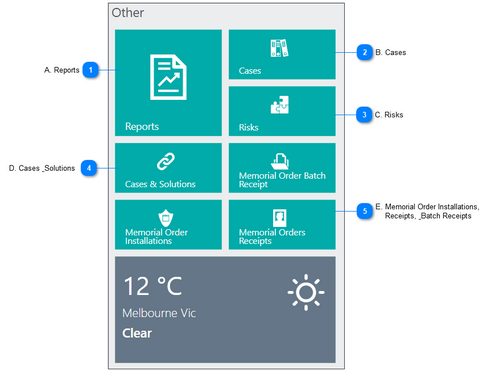
The Other category houses the search tile for Reports, Cases, Risks, Cases & Solutions and Memorial Orders Receipts and Installations.
|
|
Presents a list of reports that can be found in byondpro matching the listing of reports located in the Reports section of the toolbar.
|
|
Allows for a search of client feedback, incidents and work requests.
|
|
Relevant to risk management, a search option for risks, controls, legislation & Occupational Health and Safety risks.
|
|
Provides a list of cases currently in byondpro with no current solution.
|
E. Memorial Order Installations,
Receipts, & Batch Receipts
Allows the user to prepare receipts of memorial items such as plaques and headstones, and mark the memorial orders as installed.
|
The online help was created with Dr.Explain
|