Customer Group Setup
Defines the default tax and invoice terms to apply to a particular customer group.
Navigate to Administration > Cemetery System Setup > Customer Group Setup
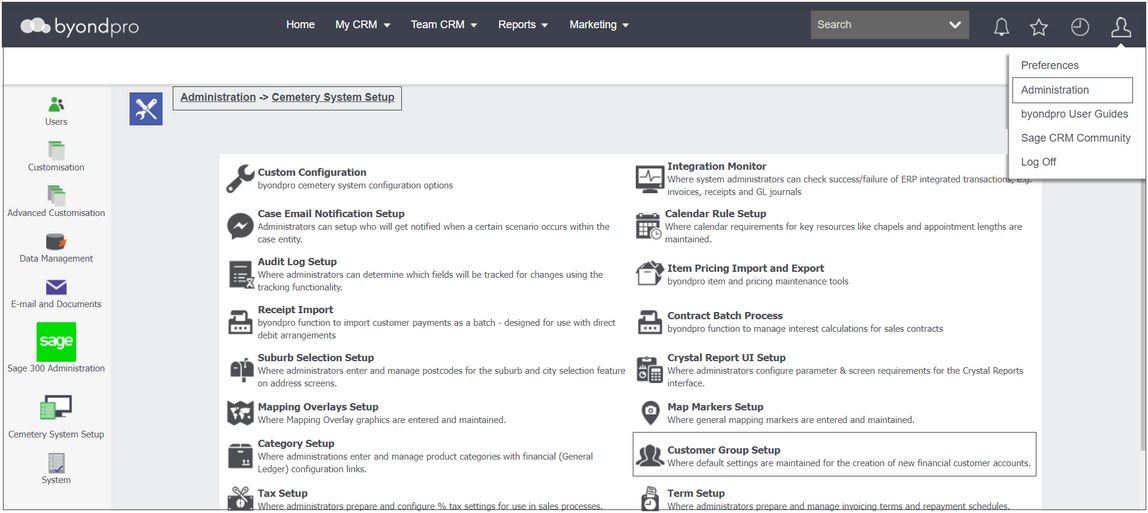
Only one Customer Group is required within byondpro of Family.
The Family group is setup to assist with the mechanics of the person record. There is specific coding around a person record designed by OpusXenta for byondpro.
If integrated to Sage 300, company records, such as funeral directors & stone masons, have an out-of-the-box integration to Sage 300 setup, and therefore, no group setup is required.

Click on the Family hyperlink to view the group record.

If the family group is not pre-configured, follow the steps in the Add a New Customer Group section of this guide to configure this group.