Control Registers

Purpose
The Control Registers in byondpro provide a means of recording all measures provided to mitigate risks, and to associate them with corresponding risk entries.
Legislation entries can be associated with controls, and any actions required can be logged directly in the register together with policies, correspondence or other electronic files. Control registers and other associated reports can be printed from the Cases & Risks category under the reports menu.
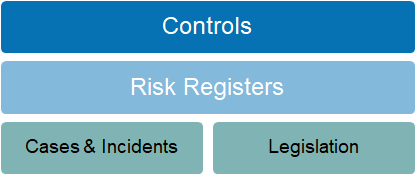
Related Information available from the Control Register summary page:
-
Notes: to record general notes
-
Communications: to record phone calls, correspondence and general activities
-
Documents: to log photos and correspondence
-
Workflow Tracking: records progression through the workflow monitoring time elapsed between entries
-
Field Tracking: records changes to field values, date and time stamped
-
Cases: lists case entries that have been associated with the control
-
Risk: lists organisational risks associated with the control entry
-
Legislation: lists legislative entries that impact the control
-
OH&S Risks: lists occupational health & safety risks associated with the control entry
Adding new records
New Control Register records can be created by selecting New Solution and Type: Control.
Workflow
The workflow ensures that register entries are logged and analysed in detail before being accepted for permanent management.
|
Workflow Actions
|
Description
|
|
Change Stage
|
Provides user with a selection list of entry stages:
- Proposed (default for new entries)
- Current, Mitigated, Tolerated
- Rejected, Transferred, Superceded, Cancelled, Completed
|
|
Re-assign
|
Allows control entry to be assigned to a different staff member for review and action
|
Button Functions
|
Button
|
Description
|
|
Change
|
Switches to edit mode
|
|
Save
|
Updates/creates the record
|
|
Continue
|
Closes the open screen and returns to list of risks and controls
|
|
Next
|
Opens the next risk record
|
|
New Email
|
Opens email editor, with associated wording templates
|
Field List
|
Field
|
Description
|
Associated Business Process
|
|
Details
| ||
|
Reference Num
|
Unique ID assigned when record is saved
|
Prefix CO-
|
|
Type
|
Selection list prepopulated: Control
|
|
|
Trust Report
|
Checkbox
|
Used to filter reports
|
|
Register
|
Selection list, including:
- PPE (personal protective equipment)
- Equipment Register
- Procedures Register
- Policy Register
- Compliance Register
|
Identifies whether control is recorded within a specific sub-register
|
|
Control Type
|
Selection list, including:
- Policy, Procedure, Strategy
- Equipment, Job Description, Framework
- Charter, Guideline, Manual
- Job Safety Analysis
- Standard Operating Procedure
- Personal Protective Equipment
|
Used to categorise type of control
|
|
Site
|
Selection list of configured cemeteries,
includes All
|
|
|
Description
|
Text field
|
Control entry title
|
|
Is Opportunity
|
Checkbox
|
|
|
Purpose
|
Free form text field
|
For extended description of control
|
|
Control Effectiveness Rating
|
Selection list, including:
- Good - Satisfactory
- Unsatisfactory
- Not yet established
|
|
|
Impact
|
Selection list, including:
- High
- Medium - Low - Very Low |
|
|
Future State Likelihood
|
Selection list, including:
- AC almost certain
- L likely
- P possible
- U unlikely
- R rare
|
|
|
Future State Consequence
|
Selection list, including:
- 1 insignificant
- 2 minor
- 3 moderate
- 4 major
- 5 severe
|
|
|
Future State Risk Rating
|
Free form text field
|
|
|
Comment
|
Free form text field
|
Used to record narrative concerning the risk entry
|
|
Last Review Date
|
Date field
|
Records date of last risk review
|
|
Next Review Date
|
Date field
|
Identifies date for next review
|
|
Effective Start Date
|
Date field
|
Records date risk entry was first accepted
|
|
Expiry Date
|
Date field
|
Records date risk will expire, cease to be relevant
|
|
Status
| ||
|
Stage
|
Workflow stage
|
|
|
Assigned To
|
Lookup to staff
|
|