Contract Tab
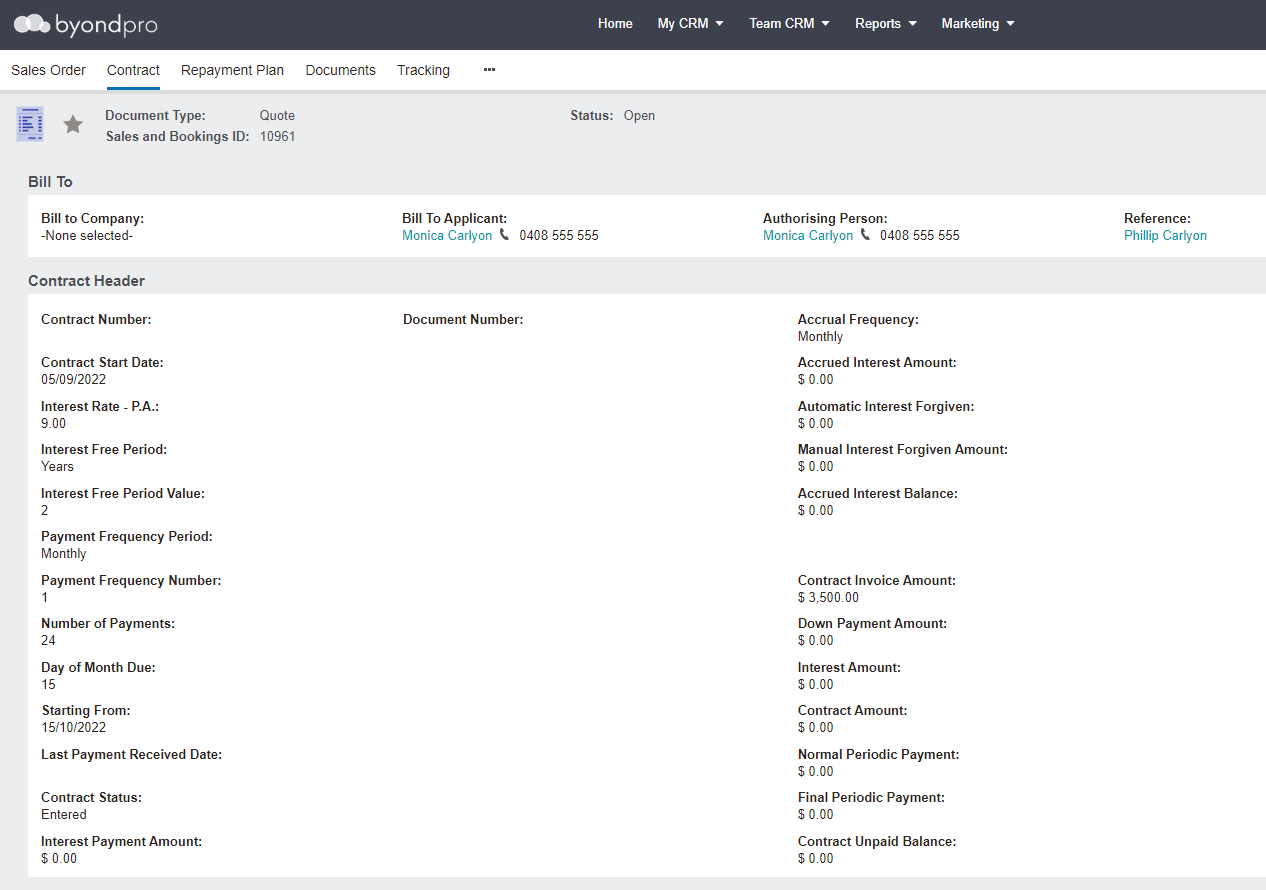
Select the Change Sttributes button.
Note the fields on the left of the page reflect the entries from the contract header in the sales order.
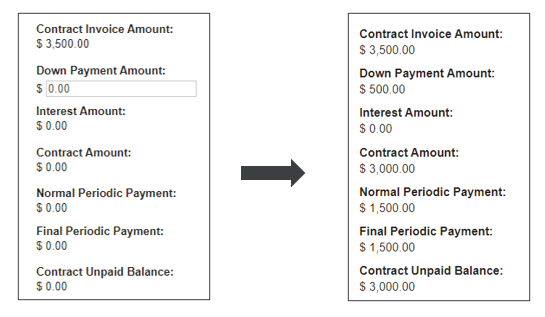
Enter the deposit the customer is paying in the down payment amount field.
Notice the update to the:
-
Contract Amount
-
Normal Periodic Payment
-
Final Periodic Payment
-
Contract Unpaid Balance.The Down Payment Amount (receipt) still needs to be processed through byondpro or Sage 300.
Users can print contracts / agreements with all the data as outlined above without any initial financial impact.