Configuration
The Configuration of Cases functions involves email notifications and the Secure Record function.
Notifications
Navigate to Administration -> Cemetery System Setup -> Case Email Notification Setup.

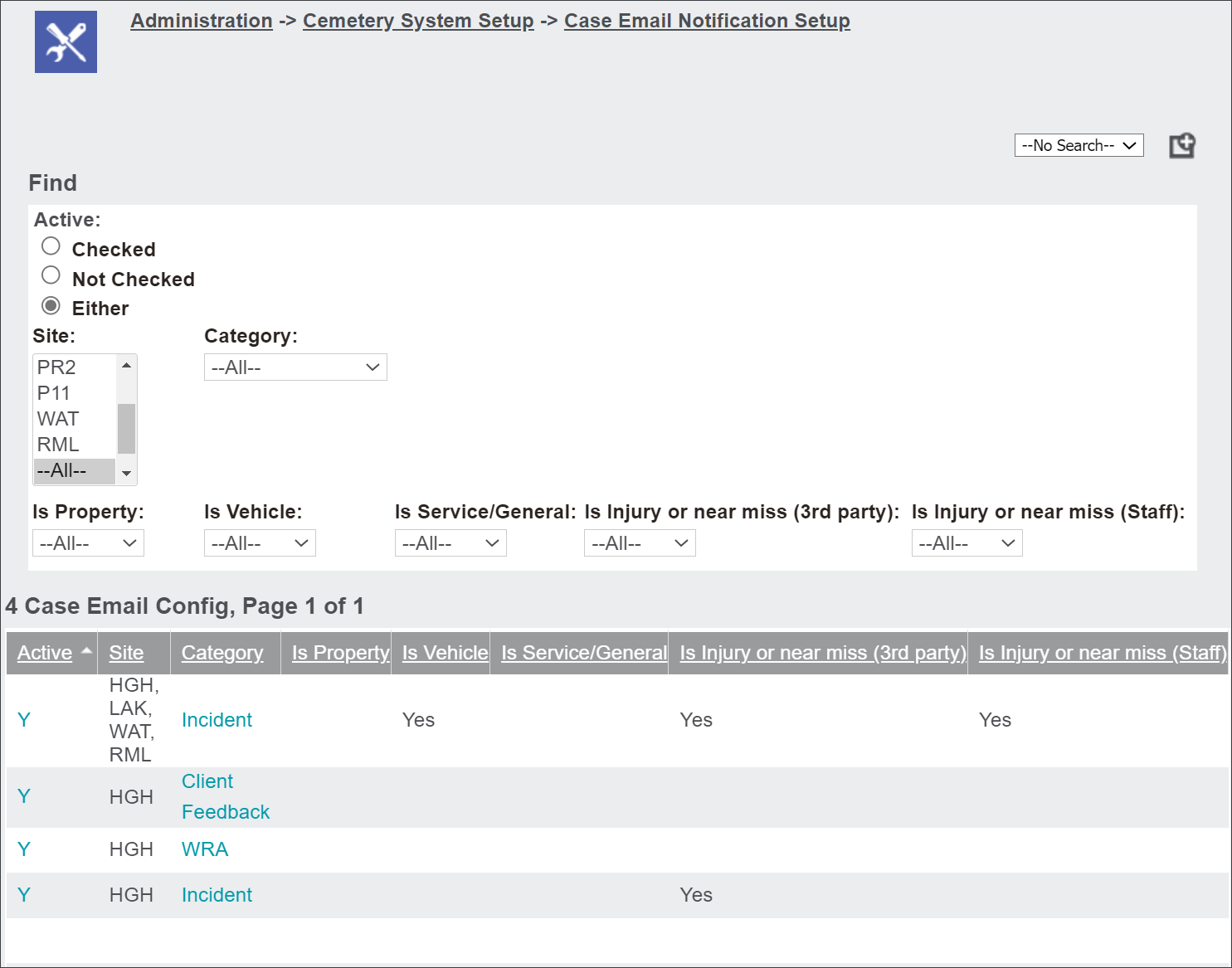
This configuration allows users to set up a matrix to decide who is informed about the new incidents or cases over and above the standard workflow notifications.
Users can search for a configuration by filtering entries according to Site, Category and forms related to Property, Vehicle, Service/General, Injury/Near Miss (3rd Party), Injury/Near Miss (staff).
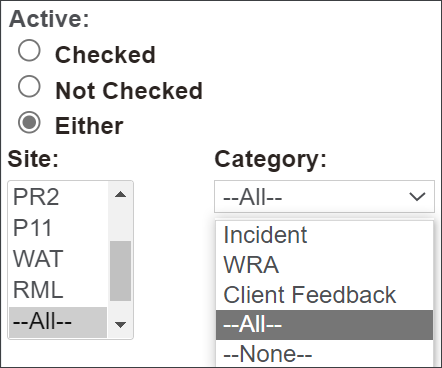
Click on the available drop-down menus, select to filter the entries and press Find.

Press the blue hyperlinks to view configuration for an individual category, for example an incident.
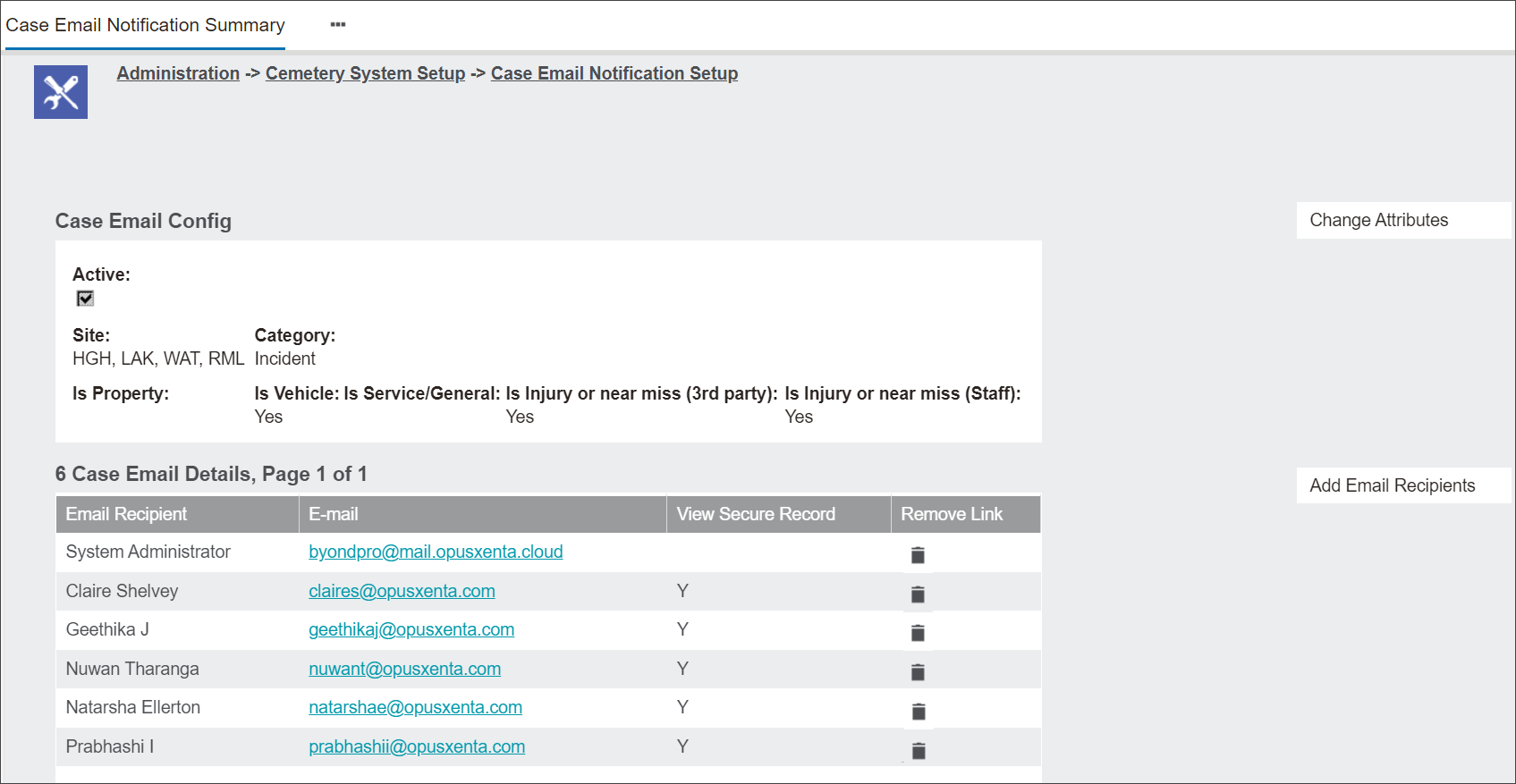
The screen Case Email Notification Summary will appear.
From this screen you can perform the following actions:
-
Change Attributes
-
Add Email Recipients.
Change Attributes
Press the Change Attributes button to enter a change screen.
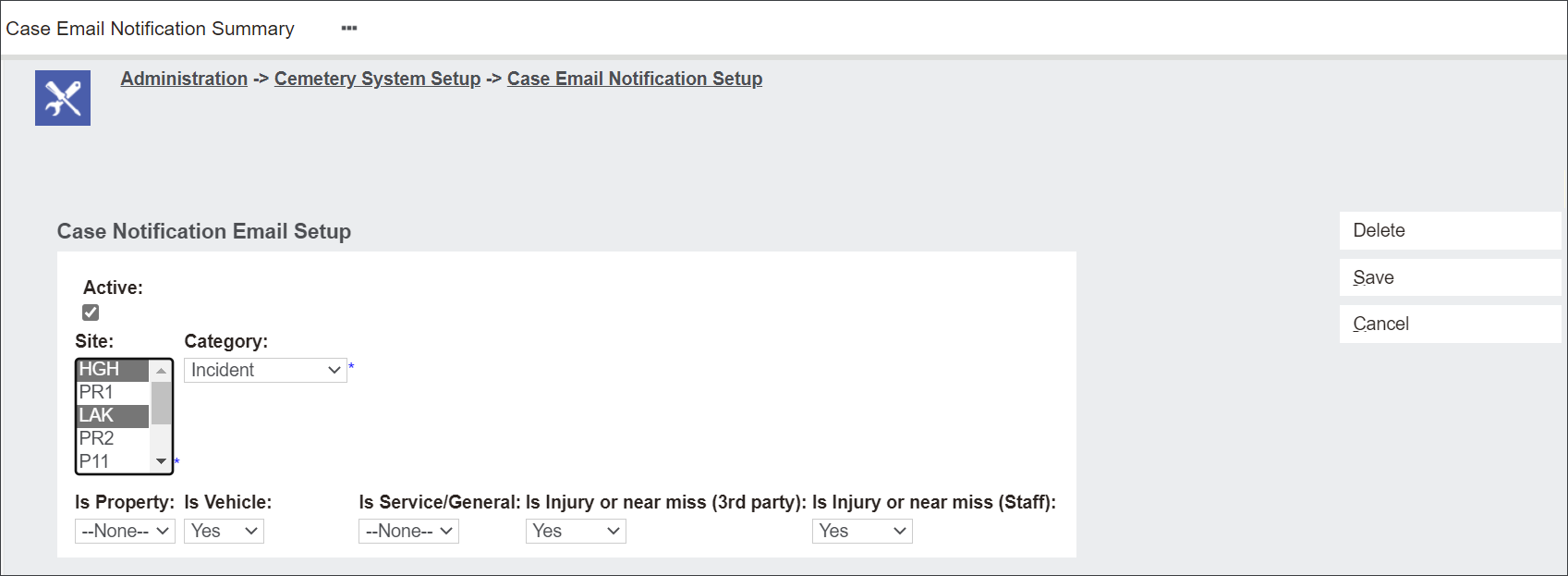
Tick the Active box if the notification setup is current.
In the Site menu select one or multiple sites of a cemetery trust the setup applies to.
In the Category field select the Category you wish to change.
In the drop down menus Is Property, Is Vehicle, Is Service/General, Is Injury or near miss (3rd party) and Is Injury or near miss (Staff) select Yes, No, Either or None to decide the content of the related notifications.
Press Save to secure the changes.
Add email recipients
Press the Add Email Recipients button.
The button opens a pop-up window allowing to add more users to the notification setup.
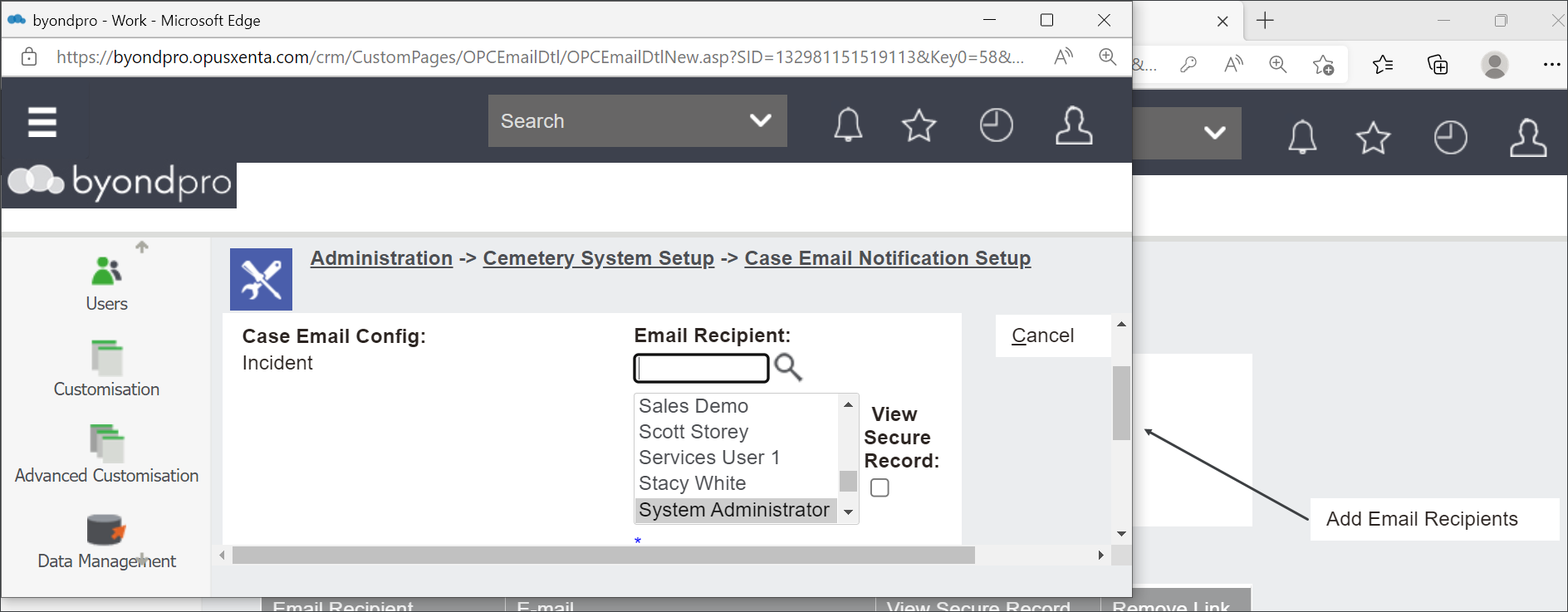
In the Email Recipient filed type in or press the magnifying glass to add an existing user to the Incident Email Configuration.
Tick the View Secure Record box if the user should have the permissions to see highly confidential records.
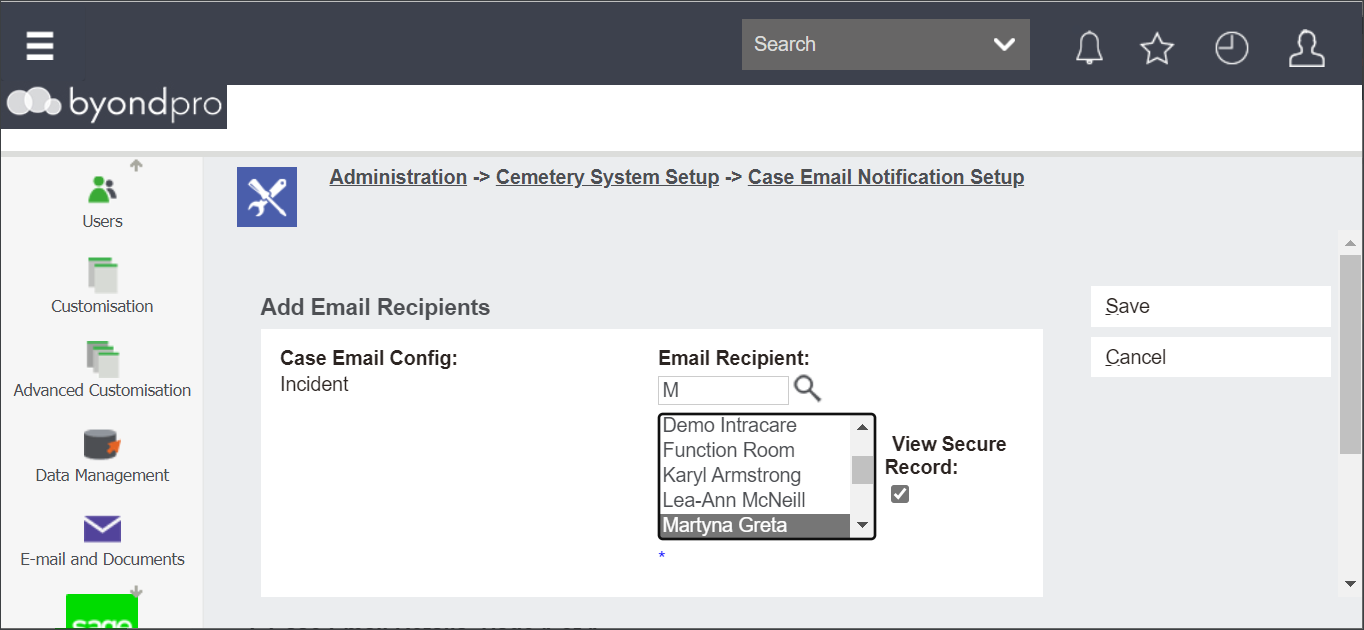
Press Save to secure the changes.
The user Martyna Greta is now added to the Case Email Configuration list. The user can view records marked as Secure Record for is Vehicle and Is Injury or near miss (3rd party) and Is Injury or near miss (Staff) at the four sites noted, HGH, LAK, WAT, RML.
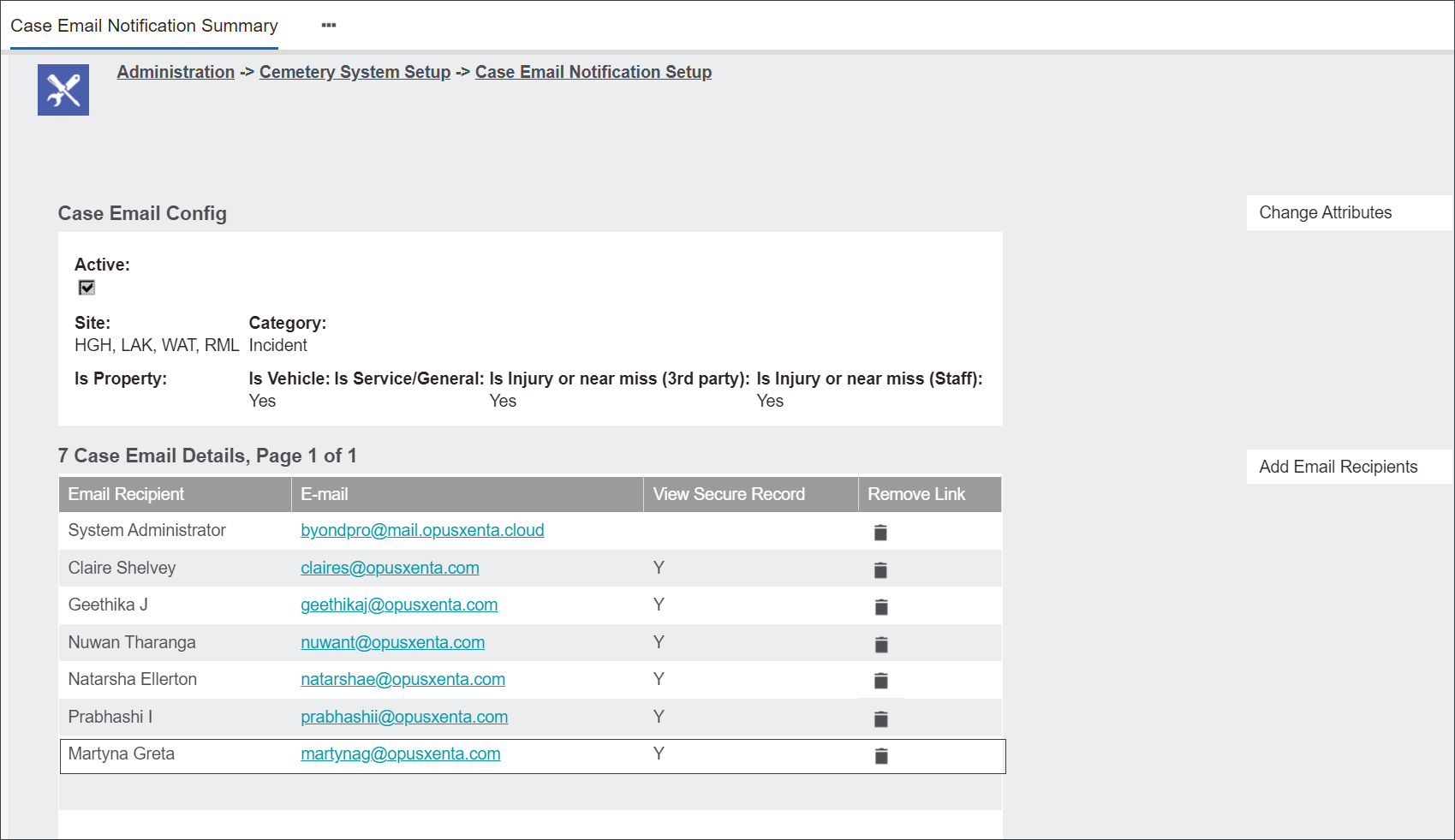
Note: The user Martyna Greta can view Secure Records only when the scenario outlined in the matrix occurs. The scenario includes only Incidents involving a damage to Vehicle and Injury or Near Miss to staff or 3rd party. The user cannot view other combinations of Incidents marked as Secure Record.
Let's view this on an example.
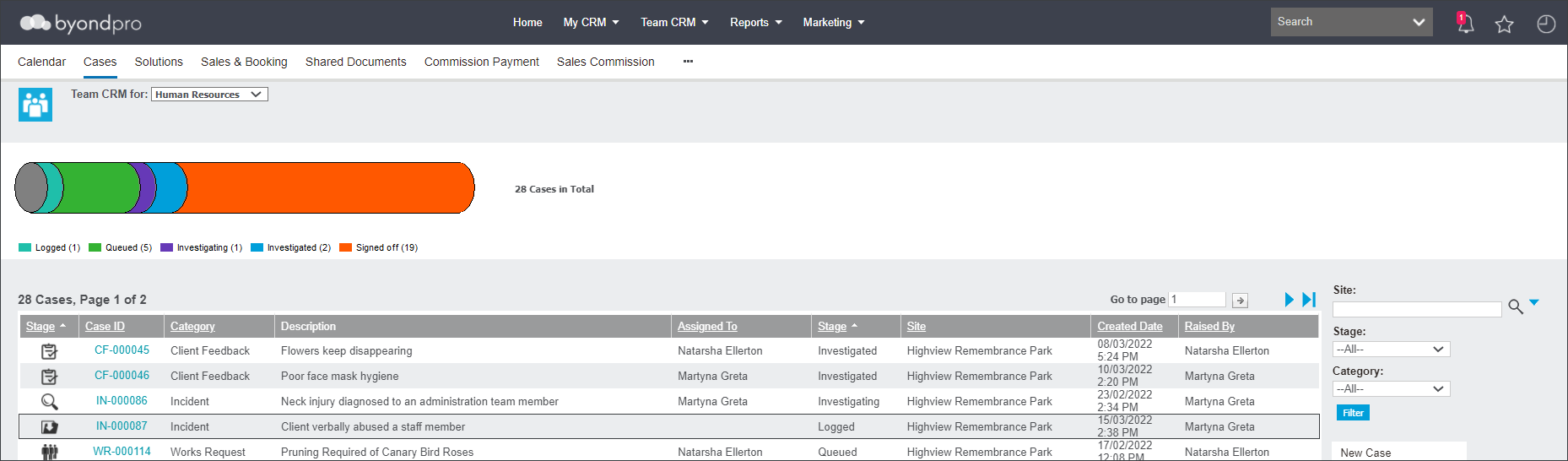
The user Martyna Greta can view and edit the Incident IN-000092 because the Case configuration applies.
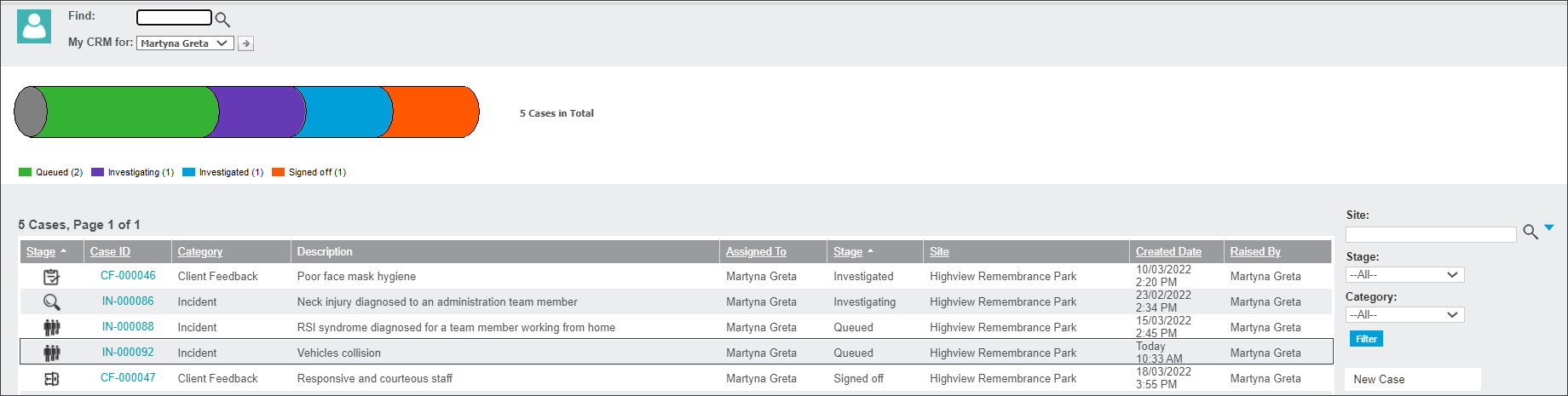
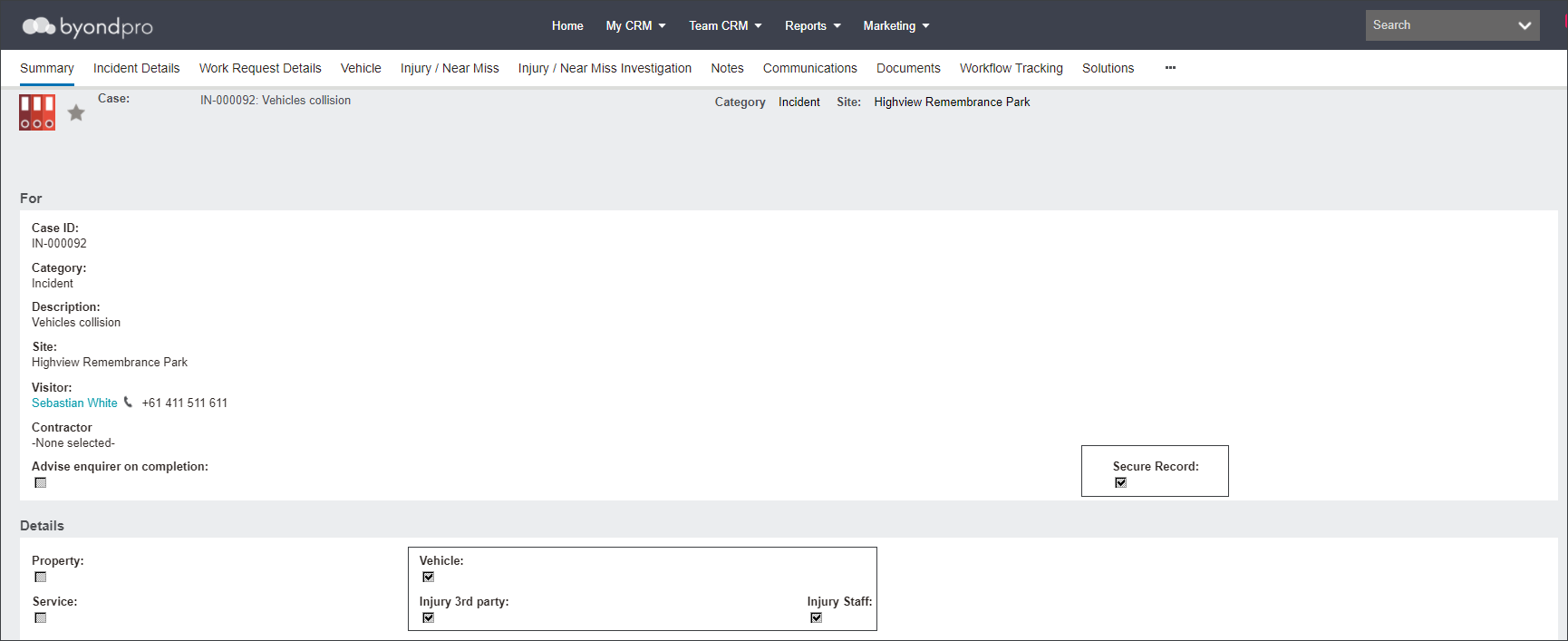
However, the user Martyna Greta cannot view or edit the Incident IN-000087, as the user doesn't have a permission to view Cases under this particular configuration.

You can Remove Link by pressing the bin icon in the configuration settings.
The system will confirm the action with a pop-up window.
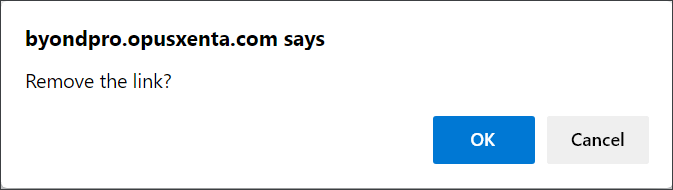
Press OK if you would like to Remove Link.