Configuration
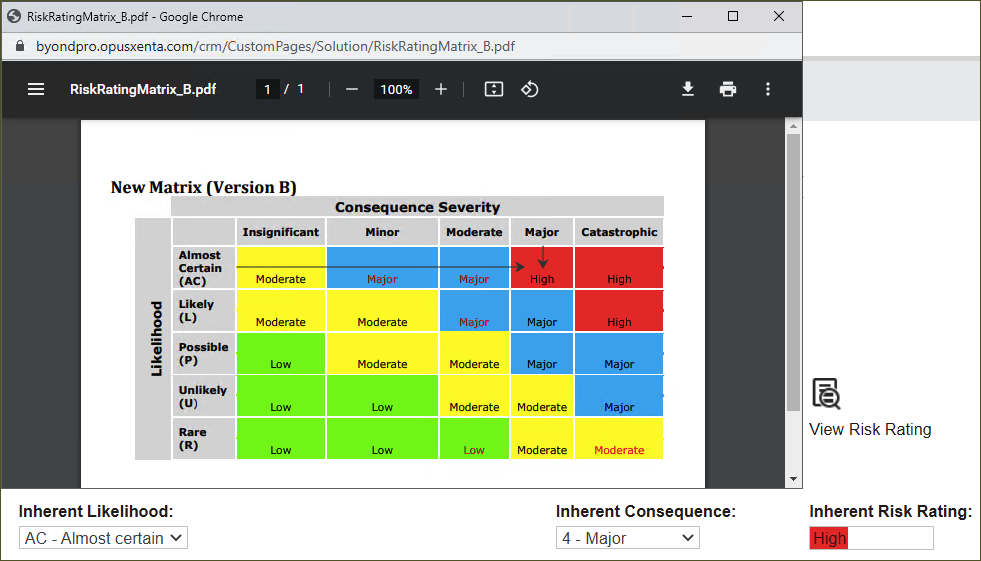
The configuration of Solutions functions involves the Risk Rating matrix.
The matrix is used to evaluate a risk against the likelihood and consequence severity of its occurrence.
Clients can choose between two options that differ in wording and valuation judgment values.
Navigate to Administration -> Cemetery System Setup -> Custom Configuration.
In the Name field type in UseRiskRating or %risk and press Find.
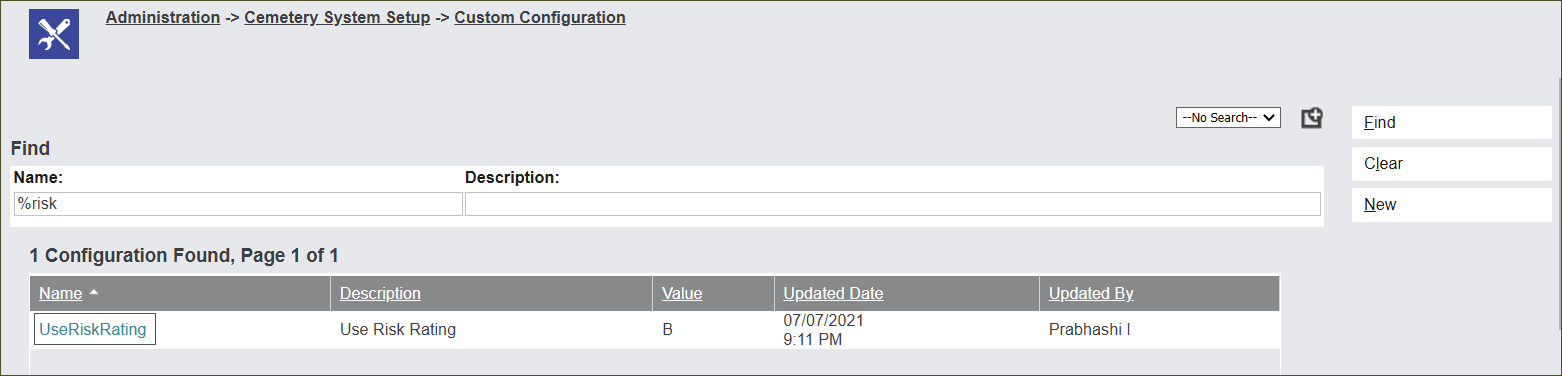
Click on the blue hyperlink UseRiskRating.
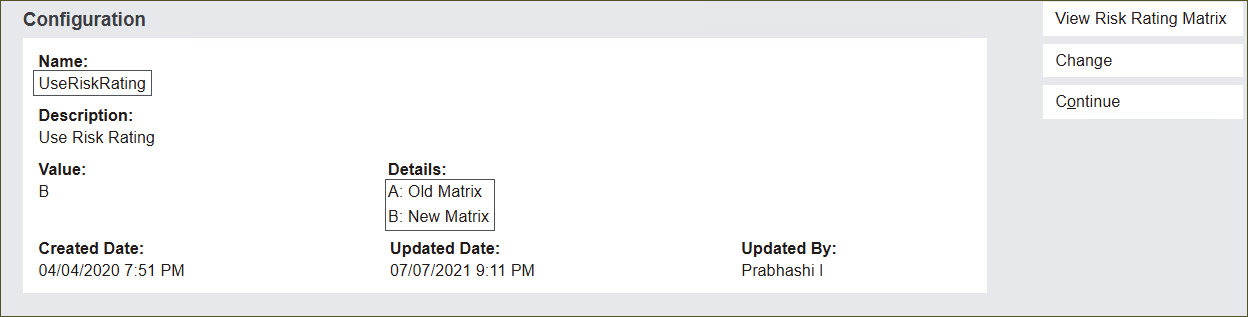
Clients can select between the two options:
-
A: Old Matrix
-
B: New Matrix
Press the View Risk Rating Matrix button to see the options.

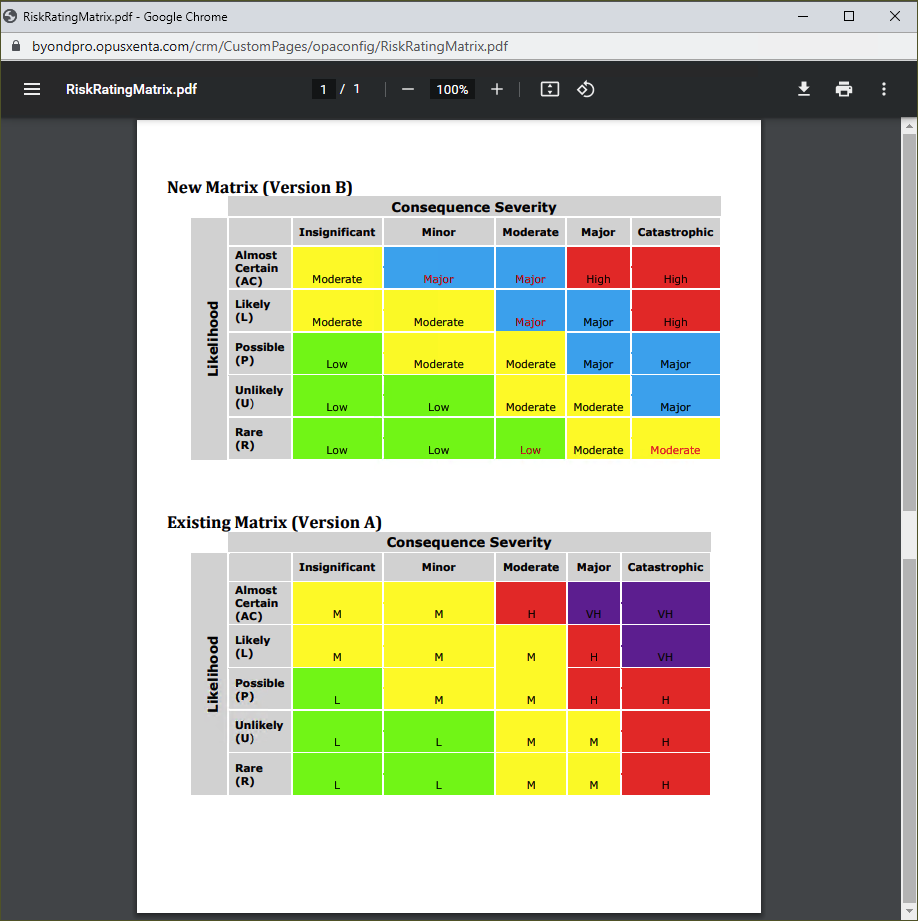
Press the Change button to choose between the two options.
In the Value field type in:
-
A to choose Version A
-
B to chose Version B
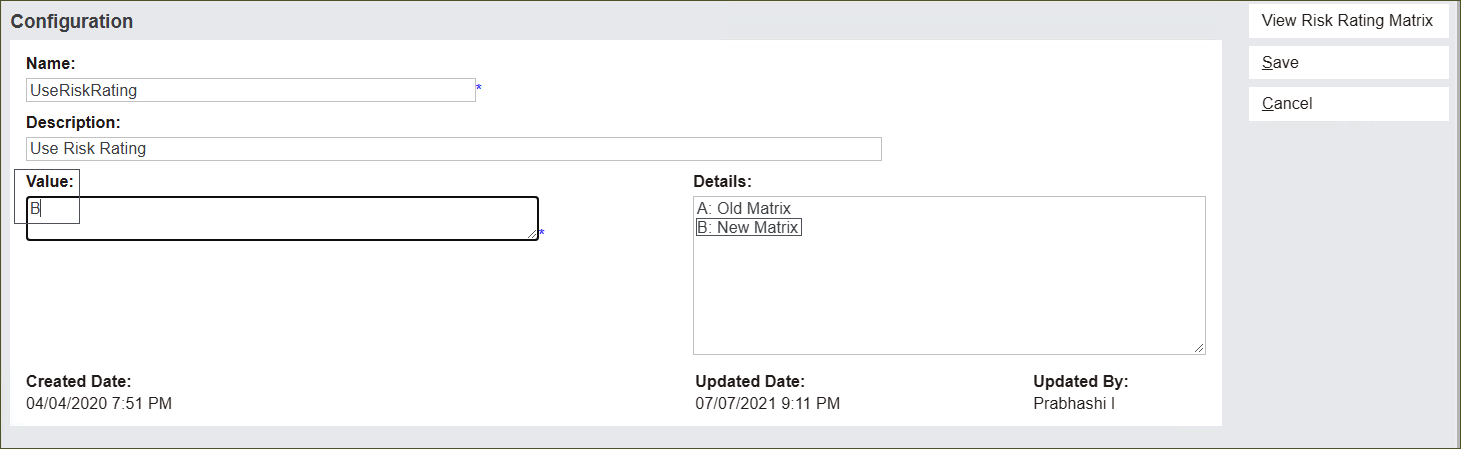
Press Save to secure the changes.
The system will calculate the Risk Rating in accordance with the values in the chosen matrix.
Value A
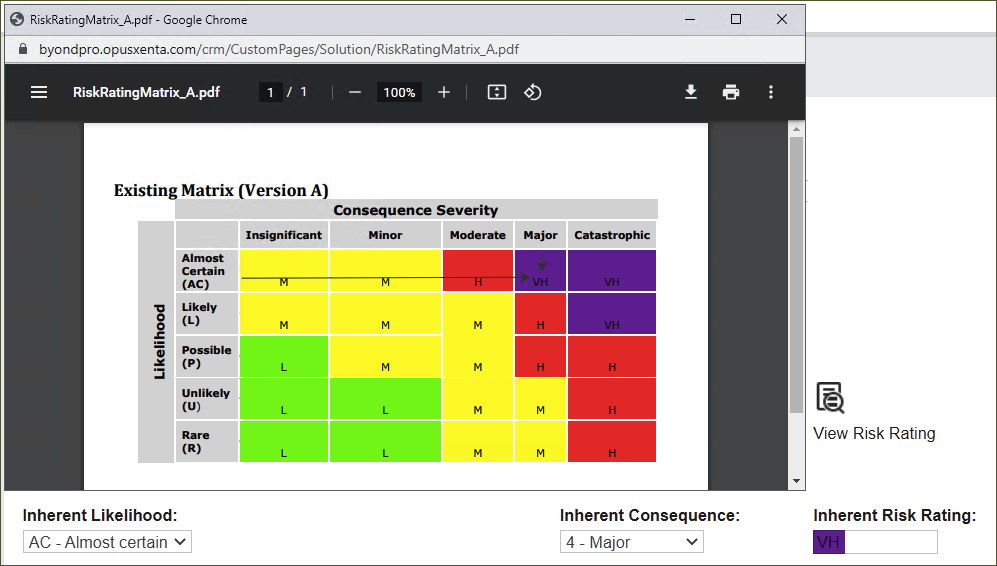
Value B