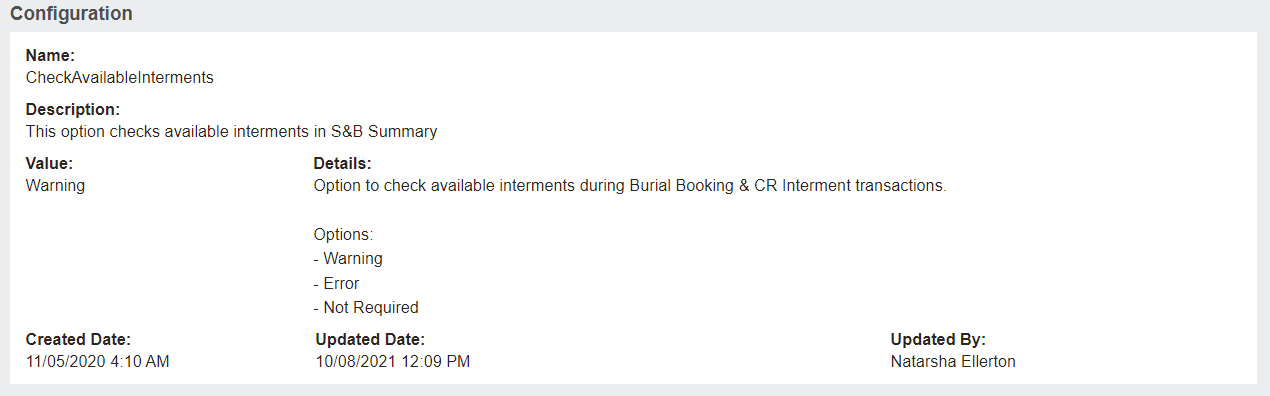
Check Available Interments Configuration
This configuration can be set to check the number of available Interment locations when a location is added to the booking Summary tab.
To configure, navigate to Profile Menu -> Administration -> Cemetery System Setup -> Custom Configuration and complete a search for CheckAvailableInterments.
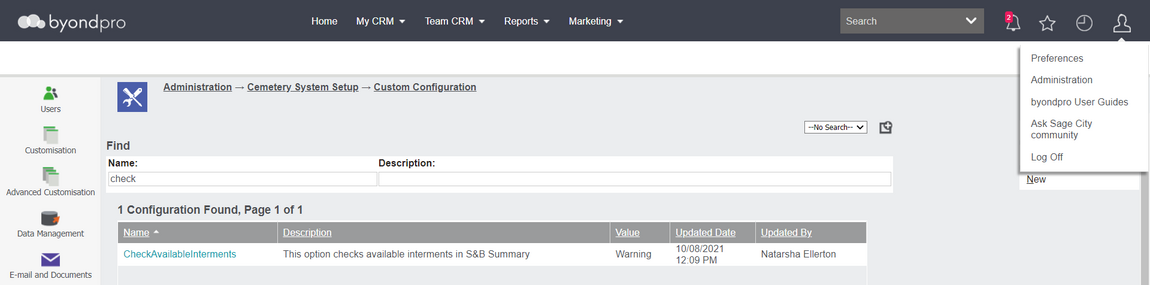
Configuration options:
-
None: no checks required.
-
Warning: If availability is less than/equal to 0 a pop-up message will display: "Check Location details. No interment positions available".User can select OK to accept the booking
-
Error: If availability is less than/equal to 0 a pop-up message will display: "Check Location details. No interment positions available".The record is not saved and the user is returned to the booking screen.
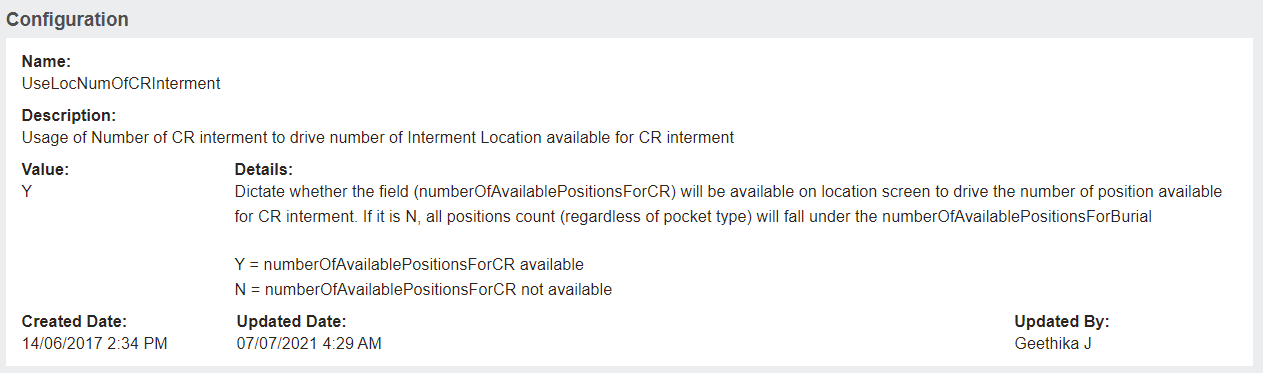
An additional configuration option in Custom Configuration of UseLocNumofCRInterment works hand in hand with the above configuration.
If the configuration option to manage CR interment numbers separate to coffin burials is not active (set to N), then both the transaction types are validated against number of available burial positions).
Meaning, the available burial positions are equal to the number of designated burial positions less the number of occupied burial and CR positions.
If configured to Y, then available interments will be checked based on the selected Transaction Type. For example, a Cremation Booking will look at the number of availe Cremated Remains Positions.