Chapel Bookings Report
The Chapel Bookings Report includes all chapel bookings already in the system for 7 days from the day chosen and can be used to confirm availability of the chapel.
To generate and / or send the Chapel Bookings Report, click on the Chapel Bookings Rpt button from the summary tab of the Sales & Booking.

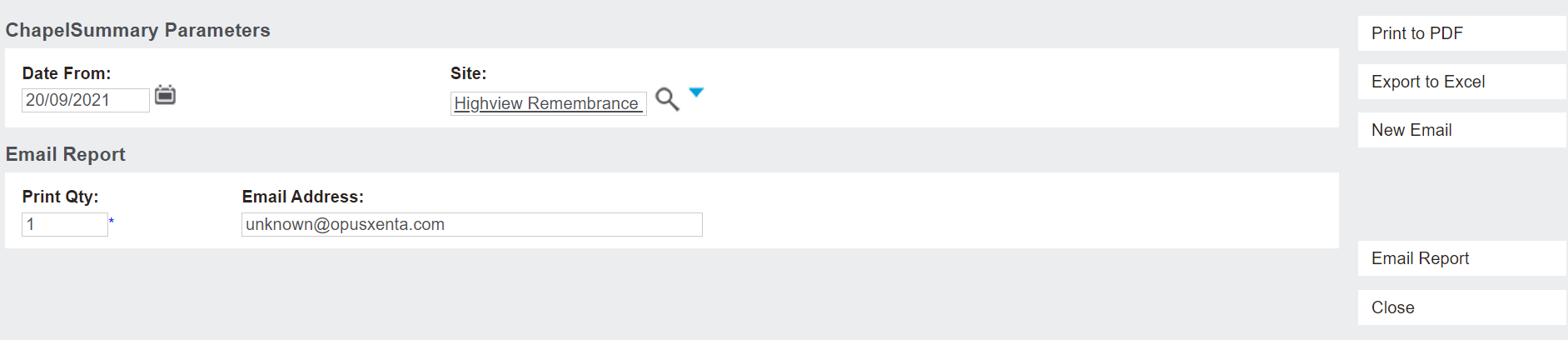
A new tab opens in the browser, which allows the user to indicate or change the email address the report is sent to. The user can Print to PDF or Export to Excel.
The Date From field allows the user to select the date range which displays on the report starting from the date entered in, for the next 7 days.
The Site field allows the user to have the report display the Chapel Bookings on a particular site.
By choosing Email Report, a template email is sent to the email address indicated and the email is saved on the Documents tab of the booking.
The New Email button allows the user to draft the e-mail, attach other documents to the e-mail, etc.
To close out the new tab, choose the Close button.
For our example below, the report was generated from the 22nd of March at Highview Remembrance Park and printed to PDF.
This report also displays on the Documents tab of the booking.
