byondpro Configuration
& Processing Guide
×
Menu

Associated Items


Purpose
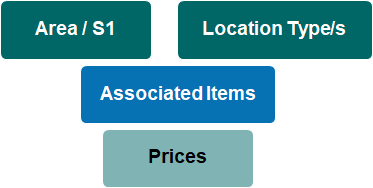
Associated items are shortlists of products that can be sold for different cemetery areas and location types. An Associated Items list guides staff toward making the correct choices within the sales entry screens.
 
Using Associated Items
When in a sales order Add Item screen, byondpro checks whether the linked Location's area and type have been configured for use with associated items. If yes, the item finder is automatically restricted to the corresponding list of item codes. If other products or services are needed, staff can uncheck the Use Associated Items checkbox to gain access to the full list of sales items.
 
 
Example: Associated Items
Area - Area S1
Location Type
Associated Items
Highview Gardens - Bed 1
Position in Rose Bed
Prepaid cremation certificate
Cremated remains placement fee
Plaque style A
Emblem
Additional lines of inscription
Granite base blue
Granite base black
Highview Gardens - Bed 2
Position in Rose Bed
Prepaid cremation certificate
Cremated remains placement fee
Plaque style B
Emblem
Additional lines of inscription
Granite base green
Granite base black
Highview Gardens - Wall 1
Wall Niche: single
Wall Niche: double
Prepaid cremation certificate
Cremated remains placement fee
Plaque style C - single
Plaque style C - double
Emblem
Additional lines of inscription
 
The online help was created with Dr.Explain