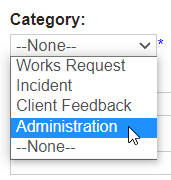
An addition to the category selections on a case is the Administration category.
This is intended for internal use cases, such as those that don’t specifically relate to deceased or location records.
For example, approvals, cemetery stock adjustments, etc.
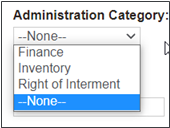
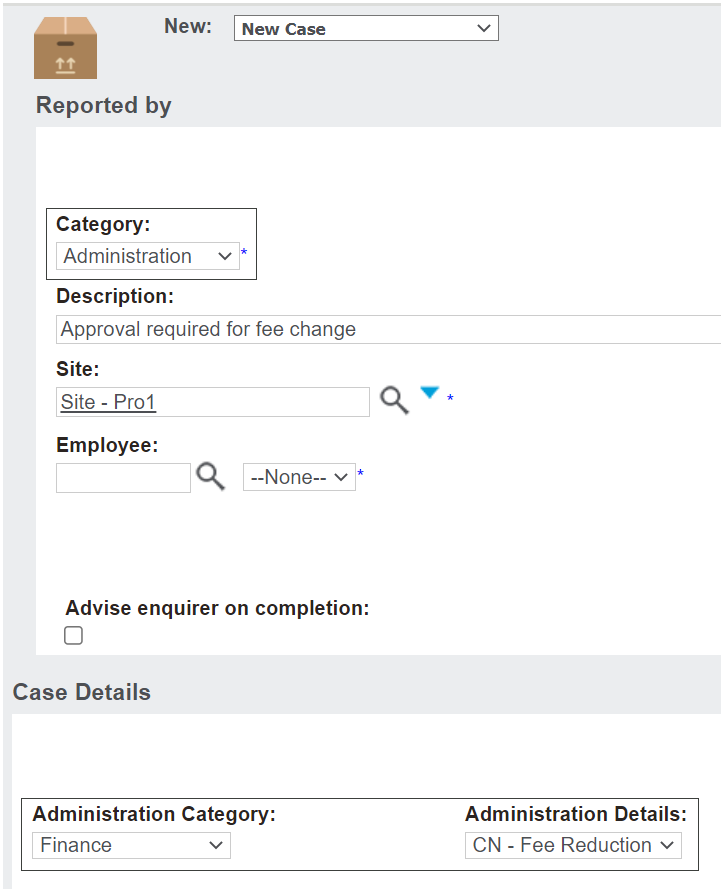
The case details Administration Category and Administration Details fields are tied together in the same way we manage Works Requests and Client Feedback.
When the administration category is selected, only the associated administration details are available for selection.
The introduction of the pipe symbol (|) highlighted in the previous release notes forms the administration configuration that creates the links.
Some examples of each of the administration categories linked to administration details are outlined in the table below.
Administration Category
Administration Details
Finance
Credit Note – invoice error
Credit Note – fee reduction
Inventory
Addition
Adjustment
Right of Interment
Transfer – Permit Application
Transfer - Other
When the administration category is chosen, the configured categories and associated administration details outlined above will be available for selection.