Adding Map Information
If using byondcloud Mapmakr, your cemetery may have already mapped your areas and locations and these would have been imported into byondpro.
Any new sites, areas, sub-areas, and locations will need to be mapped in Mapmakr and then imported to byondpro in a similar manner.
If only using byondpro, we recommend placing a pin on the Site record first as the main entrance or administration building.
Then, when areas or sub-areas are added, add the general coordinates of the area or sub-area.
When on the individual location, the pin will default to the area and the location pin can be adjusted accordingly.
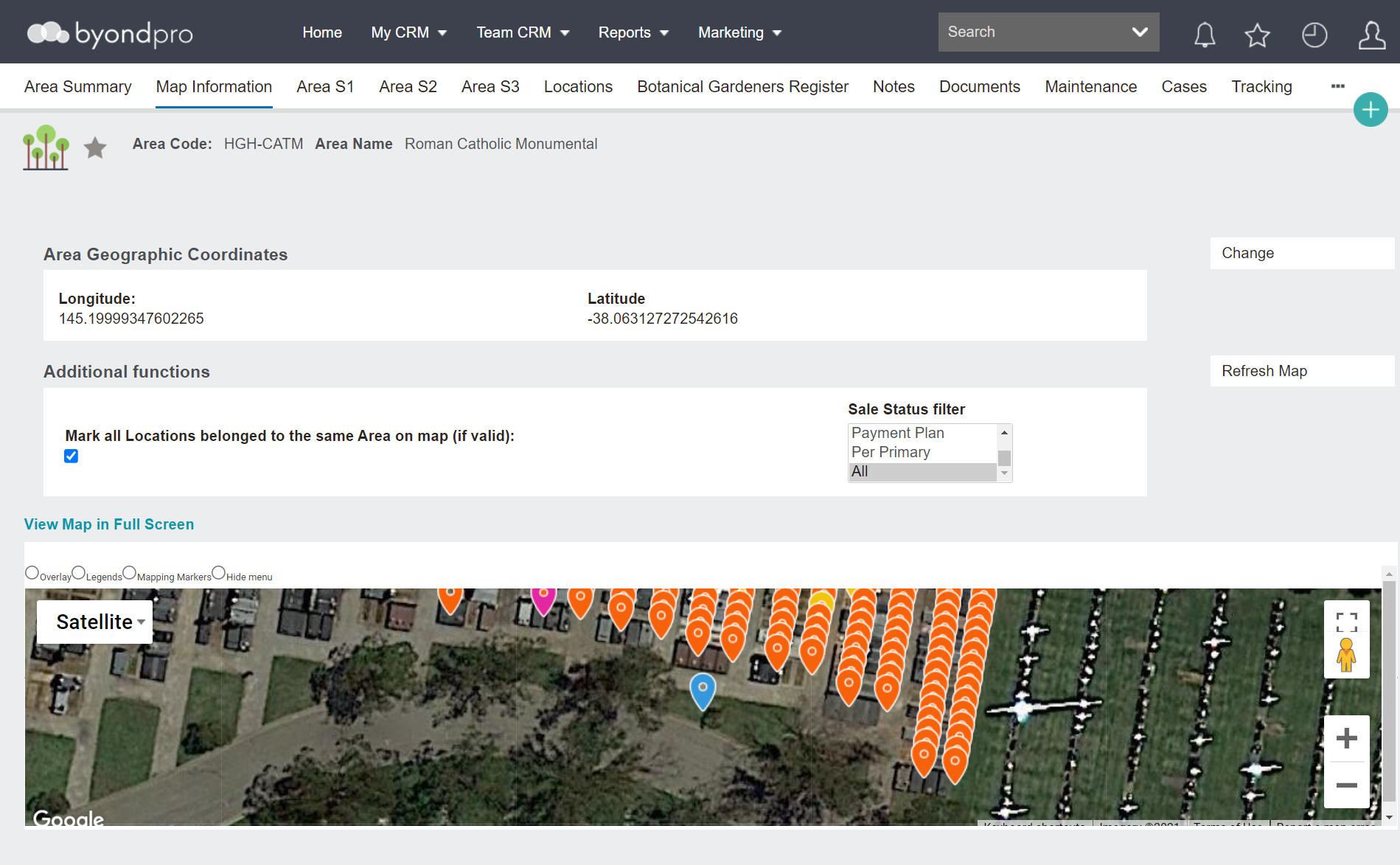
To add mapping onto any record within byondpro, press the Change button from the Map Information page of the record.

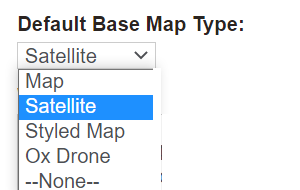
A base map can be added to the Site record in the style of a:
-
Map
-
Satellite image
-
Styled map
-
OpusXenta drone map.
Simply add the Latitude and Longitude coordinates as necessary or adjust the pin on the map to the desired location.
If mapping has been applied to the Site and Area, the latitude and longitude on the Location record will prefill from the preceding map data and can be altered.
If using a GPS-enabled mobile device, you can be in the grounds and use the Get Current Location button to determine the longitude and latitude co-ordinates. The accuracy of the co-ordinates is dependent on the device used.
After pressing Save, a Google map will now display.