Add a New Customer Group
Should you need to add a new customer group, navigate to Administration > Cemetery System Setup > Customer Group Setup.
Select the New button on the right-hand side of the page.

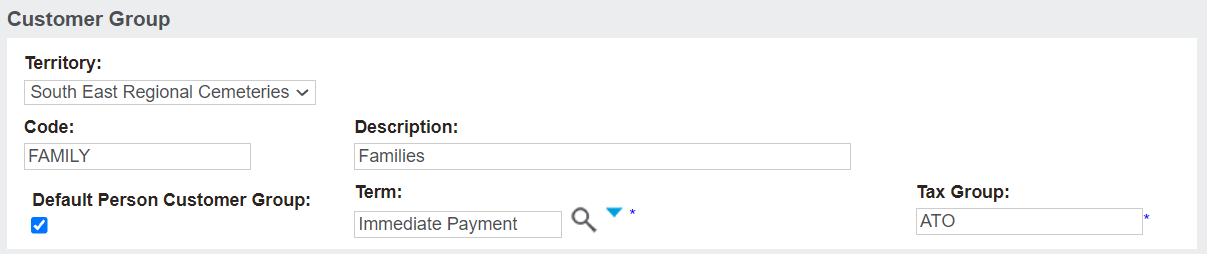
The Territory field will default to your overarching cemetery trust.
The Description of the Customer Group can be different than your ERP; however, the Code, must be the same as in your ERP.
If Integrated to Sage 300:
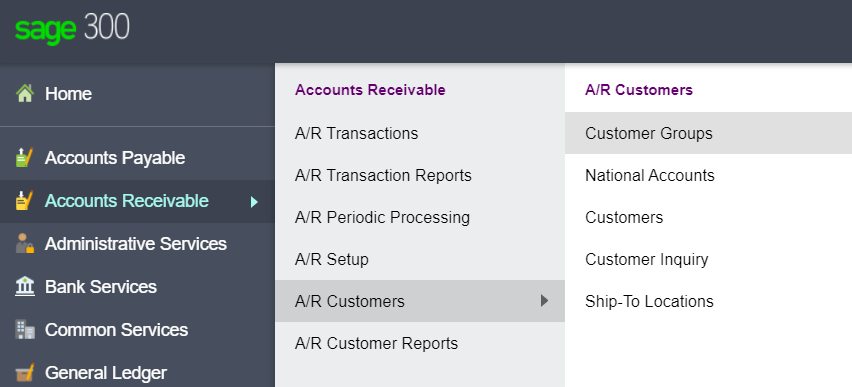
Log into Sage 300 and visit Accounts Receivable > A/R Customers > Customer Groups, as the customer groups list in byondpro must mirror with the configuration settings in Sage 300.
Returning to byondpro, the Default Person Customer Group tick box marks this group as the default group for all person records that are added as a finance customer.
The Term is the default payment type expected for this group.
For the family group, this would likely be immediate payment, however, the setting can be overwritten if alternative terms are needed for a sale.
The Tax Group refers to the Tax Authority within Sage 300 or your ERP. For our example, the Tax Group is the ATO.
Once completed, press Save.
