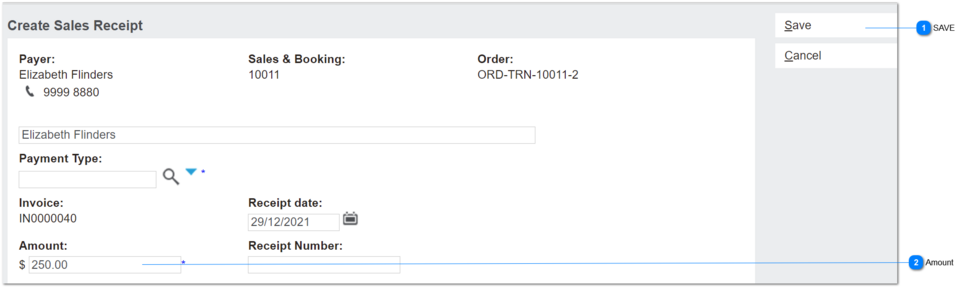
This screen is used to record payments from customers and associate to the debtor account, sales & booking ID and invoice transaction.
Receipts screen viewed from Sales & Booking/Receipts tab header
 SAVE
July-2021.
Added control to disable Save if Amount owing on invoice = $0
Applies to Create New Receipt screens on order header and S&B/Receipts tab.
|
|
 Amount
This field shows the balance of the invoice outstanding.
Dec-21: update for release with new Sales Discount feature to insert Deposit Required on first instalment.
|
Type
|
Notes
|
Rules
|
Compulsory
|
Format
|
Edit
|
Size
|
Default
|
Error Message
|
|
numeric
|
This applies to the New receipt screen opened from the Order Header screen.
All existing conditions apply, except where stated in Rules.
|
1. On NEW Receipt screen, validate whether:
Order Header/Deposit Required field > $0
AND
Oustanding Invoice Balance = Order Total.
a. If true, insert Deposit Required amount.
b. If false, auto-insert the calculated amount outstanding for the invoice (per current)
|
Y
|
currency
|
Y
|
|
|
| |
|