byondpro Administration -> Cemetery System Setup -> Item and Pricing Export/Import Tool
October 2022: Add package code link to item records
Excel worksheet preparation:
To edit an existing item, leave the Item ID (column A) as exported. This is the SQL record ID
To insert a new item, leave Item ID (column A) blank
The worksheet columns relating to bondpro selection lists include drop down showing the source values from the customer's database. Therefore, values enetered must correspond to a value in the list. e.g. Item Category
Functions - per user guides (as at May 2021)
Importing Records
1. Save and close the Excel worksheet.
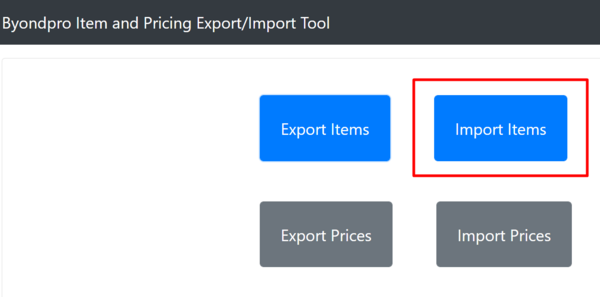
2. Select Import Items
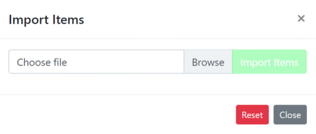
3. Browse to the updated item worksheet and select Import Items.
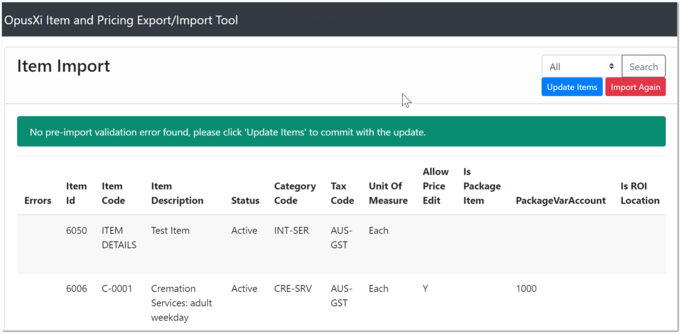
4. The import tool validates that all values are logical and displays a confirmation screen.
5. Green message confirms that no pre-import validation errors were found. Select Update Items
6. Red message indicates errors found in the worksheet.
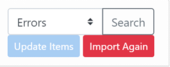
7. Select Errors option and Search to display only errored entries in the results grid.
8. Resolve errors in the Excel worksheet and re-save document.
9. Select Import Again. Repeat #3-4, until #5 validation succeeds.
10. Select Update Items.
Success message confirms the item import file has been processed.